Documentation
Categories organize quizzes and form a permission boundary. Start with user-group permissions, then apply category-specific changes where needed.
Configure access
- Create or edit a category in the ACP Quiz section.
- Review its description, display order, allowed quiz types and leaderboard participation.
- Configure prefixes and custom fields where appropriate.
- Grant the intended groups permission to view and play quizzes.
- Grant creation and management permissions separately for authors and moderators.
- Test as a guest and an ordinary member, rather than relying on an administrator account.
| Capability | Permissions to review |
|---|
| Participate | View, play, repeat, question-count selection and its limits |
| Review an attempt | Results, correct answers, explanations and feedback |
| Inspect other attempts | Play records, completion records and analytics, including own/any distinctions |
| Author content | Add quizzes; add, edit, sort and manage questions; manage feedback |
| Collaborate | Manage teams and the member's assigned team actions |
| Discuss | View and add comments, react and rate |
| Moderate | Approve, delete, undelete, warn, reassign and use inline moderation |
Viewing results does not automatically permit viewing the correct answers or explanations. Attachment viewing and uploading also have separate permissions.
Availability and visibility
An active quiz still needs a visible category and appropriate permissions. Moderation state can also restrict access. Opening and closing dates govern participation; they do not grant category access. See
quiz settings.
Guest play must be explicitly permitted. Guest data retention and later account association are controlled by the administrator.
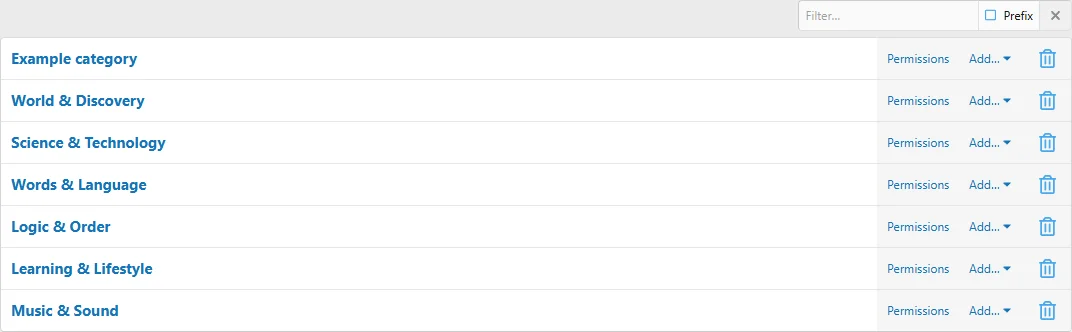
Organize categories and open their permission controls from the ACP.

![[XB] Quizzes: Knowledge Tests & Community Engagement](/data/resource_icons/0/172.jpg?1733558394)