-
Before purchasing:
Please review the product description and compatibility requirements before placing your order. Contact us with any questions to confirm the product meets your needs. Refunds are not available once the product has been downloaded. By purchasing, you agree to our License Agreement. -
You are using an out of date browser. It may not display this or other websites correctly.
You should upgrade or use an alternative browser.
You should upgrade or use an alternative browser.
![[XB] Quizzes: Knowledge Tests & Community Engagement](/data/resource_icons/0/172.jpg?1733558394)
[XB] Quizzes: Knowledge Tests & Community Engagement 2.4.2
You must log in or register to purchase ($65.00)
- Author Painbaker
- Creation date
- Featured
This update expands quiz gameplay with single-page quizzes, overall time limits, a redesigned overview, and broader Music question support. It also delivers substantial improvements to quiz reliability, scoring, attempts, security, and performance.
More Ways to Play & Better Quiz Performance!
New Features
- Added an overall quiz time limit with a countdown during play and configurable behavior when time expires:
- Automatically complete the quiz
- Stop answering and let the participant complete the quiz manually
- Added an optional Single-Page Quiz mode that displays all questions at once and submits all answers together.
- Added a new landing-style Quiz Overview with a hero summary and horizontal statistics, while keeping the original layout available as Classic.
- Added a dedicated Music question type while preserving existing Single Choice and Multiple Choice behavior for Music Quiz questions.
- Added an optional Random Quiz button that opens a random quiz the visitor can view.
Improvements
- Added Music questions to standard quizzes with per-question snippet duration and default player controls.
- Redesigned quiz grid cards with featured ribbons and improved information hierarchy.
- Redesigned previous and next quiz navigation with compact thumbnail cards and responsive mobile stacking.
- Redesigned the quiz category progress widget with compact progress bars and direct continuation links.
- Reduced the number of database queries required to render answer pages and quiz results.
Bug Fixes
- Fixed participant attempt counts stopping at two.
- Fixed guest attempts and completions losing accurate totals or latest result data when associated with an account.
- Fixed best and quickest results crossing quiz boundaries or selecting multiple incorrectly ranked results per participant.
- Fixed question limits exceeding the available question count or being applied inconsistently during play.
- Fixed fractional penalties being lost during quiz score calculations.
- Fixed question statistics not being updated after answers were corrected, deleted, or removed during expired attempt cleanup.
- Fixed expired attempt cleanup to remove associated answers and update attempt statistics while preserving newly started attempts before their first answer.
- Fixed non-Latin Short Answer matching when case sensitivity is disabled.
- Fixed zero not being preserved as a valid answer or choice when creating or editing questions.
- Fixed Multiple Choice questions with one correct answer accepting additional incorrect selections.
- Fixed Ordering questions revealing the correct sequence through choice identifiers or predictable shuffling.
- Fixed saved Ordering answers not being rearrangeable when answer changes are allowed.
- Fixed outdated answer forms being able to submit answers to a different question or attempt.
- Fixed answer criteria feedback being displayed before the required answer matched.
- Fixed tournament play, match forms, and bracket results for quizzes attached to lessons.
- Fixed question visibility to respect moderation and deletion permissions.
- Fixed quiz and question attachment downloads not respecting content visibility.
- Fixed remote image downloads exceeding the configured attachment size.
- Fixed the touch drag-and-drop fix being omitted from production JavaScript builds.
Do you like this update?Please consider sharing your experience with a short review
Every bit of feedback matters!
Listen, guess, and test your music knowledge! This release introduces a new Music Quiz experience with configurable snippets, difficulty levels, replay controls, and scoring, alongside new question management, import/export, and leaderboard improvements.
- Added a new Music Quiz type where players listen to an audio snippet and guess the track using Single Choice or Multiple Choice questions, with author-defined difficulty levels, optional player-selected difficulty and score multipliers, configurable playback start offsets, replay controls and limits, volume controls with remembered preferences, configurable results-page playback, secure range-based audio streaming that prevents filenames from revealing answers
- Added inline moderation for copying questions to another compatible quiz, including attachments and tags
- Added XML export and import for portable quiz question data
- Added Moodle GIFT export for Single Choice, Multiple Choice, and Short Answer questions
- Added a tabbed leaderboard layout to quiz pages selectable in style properties
- Added a per-question option for Multiple Choice questions to show players how many correct answers should be selected
- Fixed the Latest comments block appearing when a quiz has no comments.
- Fixed GIFT Multiple Choice imports being treated as Single Choice and retaining only one correct answer
- Fixed countdown timers not starting for timed questions loaded through AJAX transitions
- Fixed additional minor issues with question time limits
- Fixed errors when rendering empty Ordering question answers
Do you like this update?
Every bit of feedback matters!

- Added an optional Require all correct answers setting for Multiple Choice questions. When enabled, points are awarded only when every correct choice is selected and no incorrect choices are selected.
- Added configurable display types for Answer ordering into groups questions: Standard and Large drop zones.
- Added answer time limit indicators to the quiz question list.
- Answer time limits are now capped at 24 hours per question.
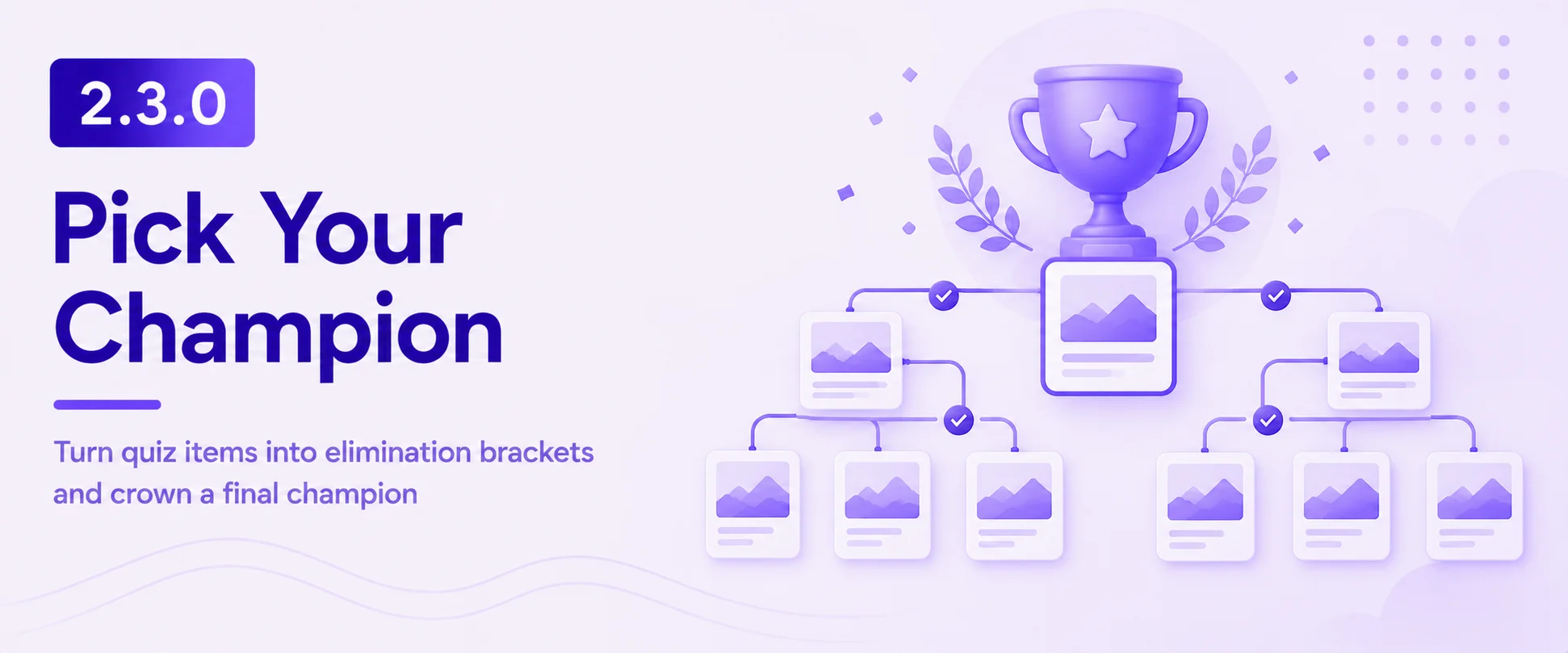
This update introduces a new elimination-style Tournament quiz mode, expands answer and participation options, and improves score and leaderboard accuracy across quizzes.
Tournament Quizzes Are Here!
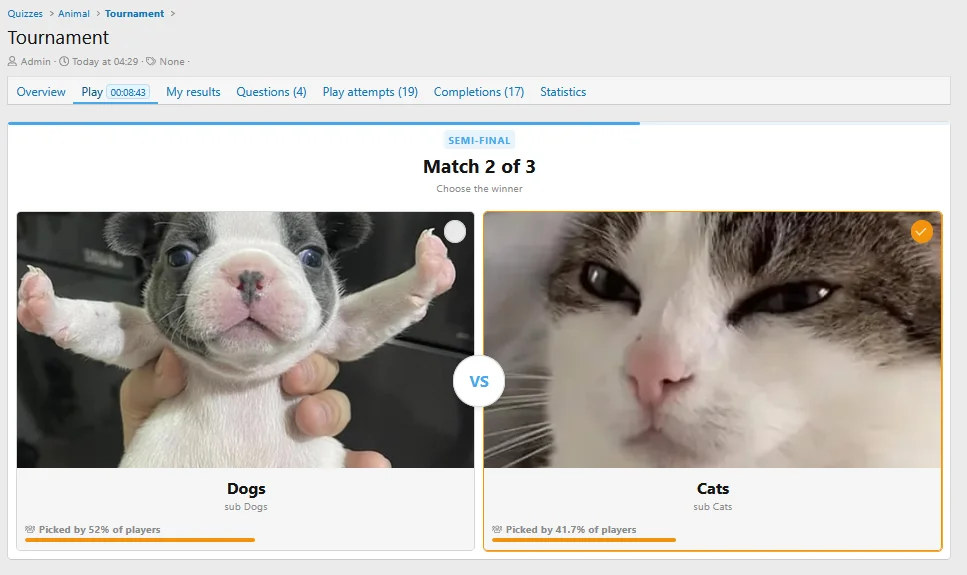
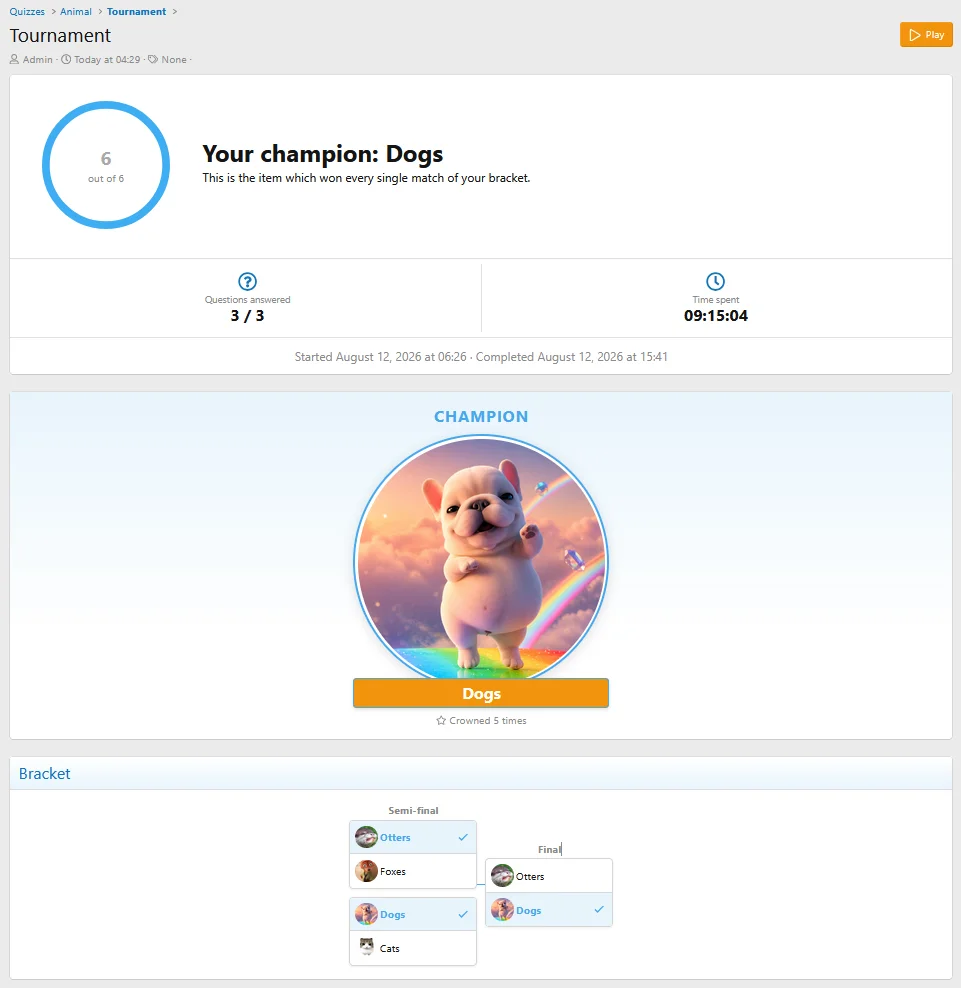
- Added a new Tournament quiz type, where items compete head-to-head in an elimination bracket until a single champion remains.
- Added a new Tournament Item question type for bracket contenders, with optional subtitles and images.
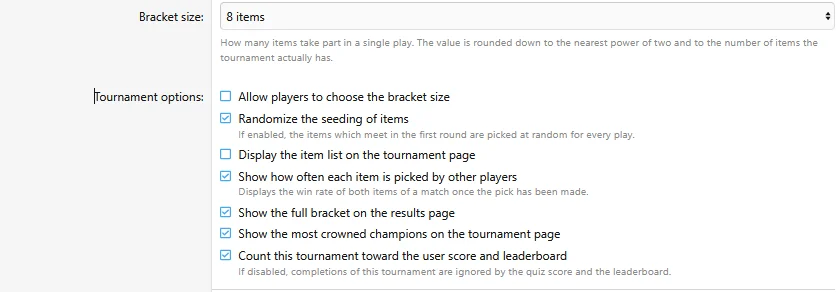
- Added tournament options for:
- Bracket size, optionally selected by the player
- Random seeding
- Community pick statistics
- Full bracket display on the results page
- Most crowned champions on the quiz page
- Added an option to exclude tournament results from quiz scores and leaderboards.
- Added full comments support for quizzes and questions, including moderation, approval queue, edit history, reactions, reports, warnings, spam cleaning, alerts, push notifications, watched-quiz notifications, multi-quote, and statistics.
- Added support for multiple accepted answers for short answer questions.
- Added optional quiz start and end dates to automatically control participation availability.
- Quiz scores are now recalculated from qualifying completions to keep user totals accurate.
- Fixed leaderboard rebuilds failing for users whose completions no longer count toward their score.
- Fixed user quiz scores becoming out of sync.
- Fixed the quickest results block hiding completions when a quiz was played with a question limit.
- Fixed assessment quizzes recording all answers as incorrect in average correct percentage statistics.
- Fixed questions being movable into quizzes that do not support their question type.
- Fixed empty feedback notices being displayed to users who cannot add feedback.
Do you like this update?
Every bit of feedback matters!
Screenshots:
Fixed avoid passing null to answer decode in Ordering Groups question type handler
- Added an option to switch leaderboard history snapshots between monthly and weekly logging.
- Added per-category leaderboard participation toggle
- Added period selector to the Leaderboard widget
- Added compact display mode for leaderboard widget
- Fixed passing incorrect question type param when editing question
Fix: avoid passing null in array_diff() when checking completed quiz ids user criteria
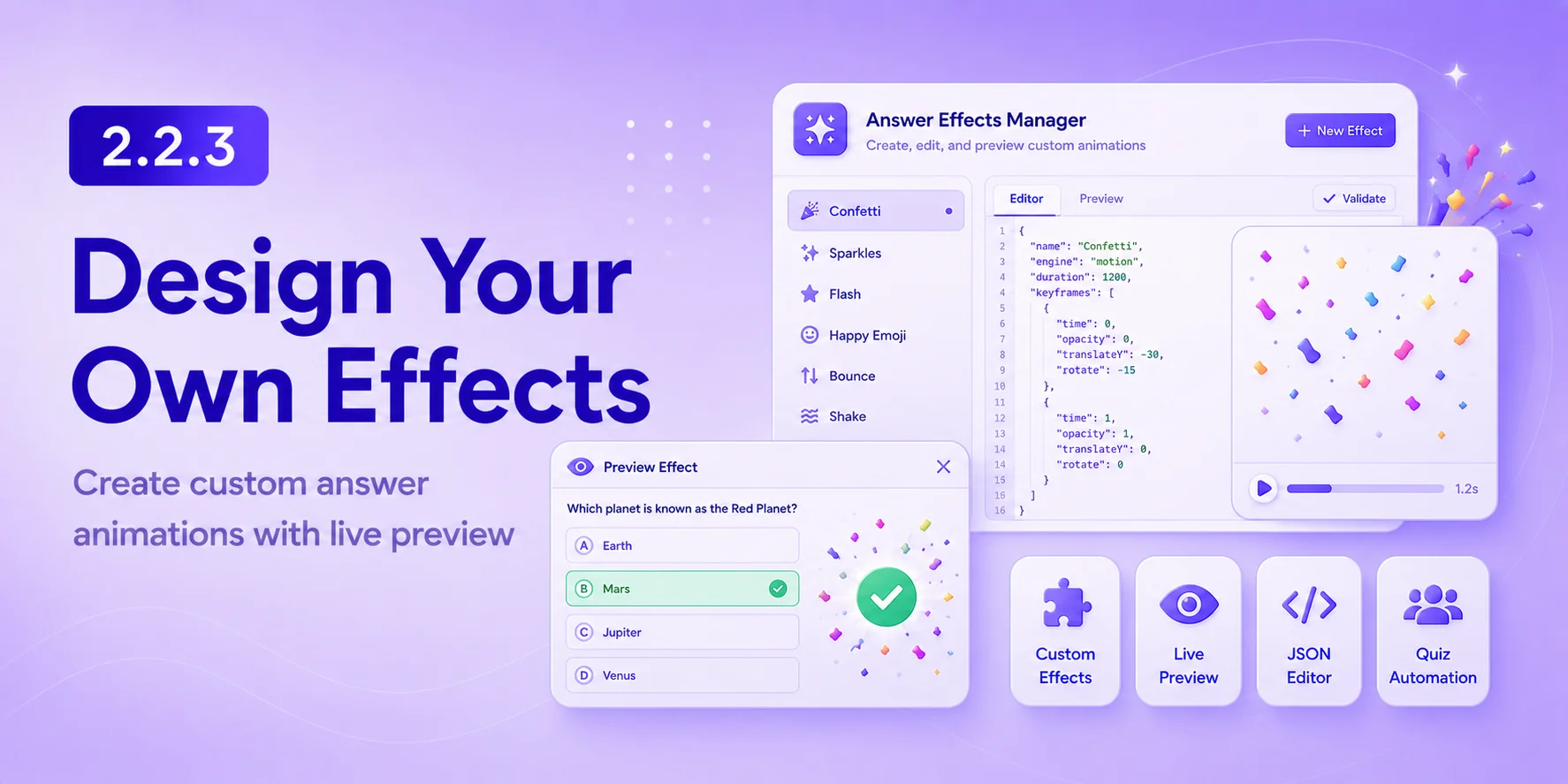
This update introduces a fully customizable answer effects system powered by Motion.js, along with new quiz completion criteria and automation options for even more engaging and dynamic quizzes.
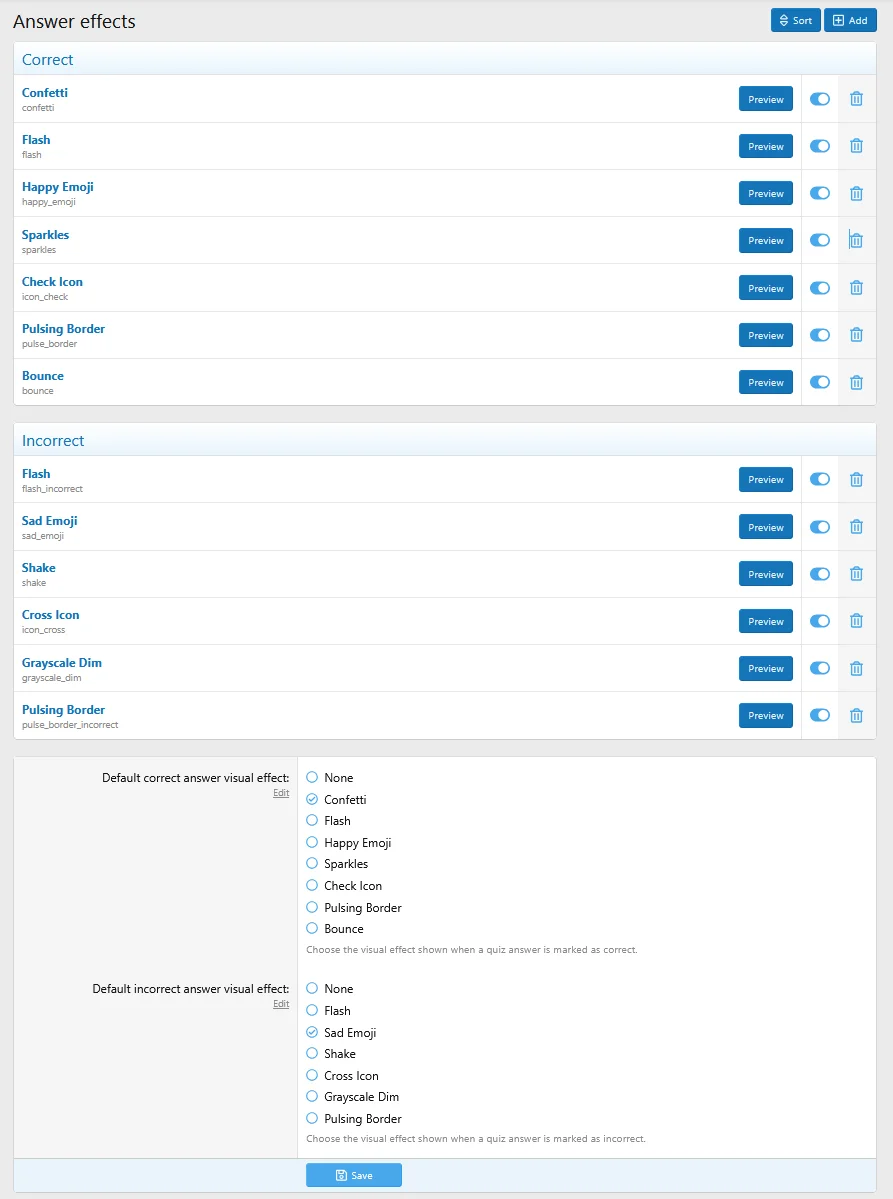
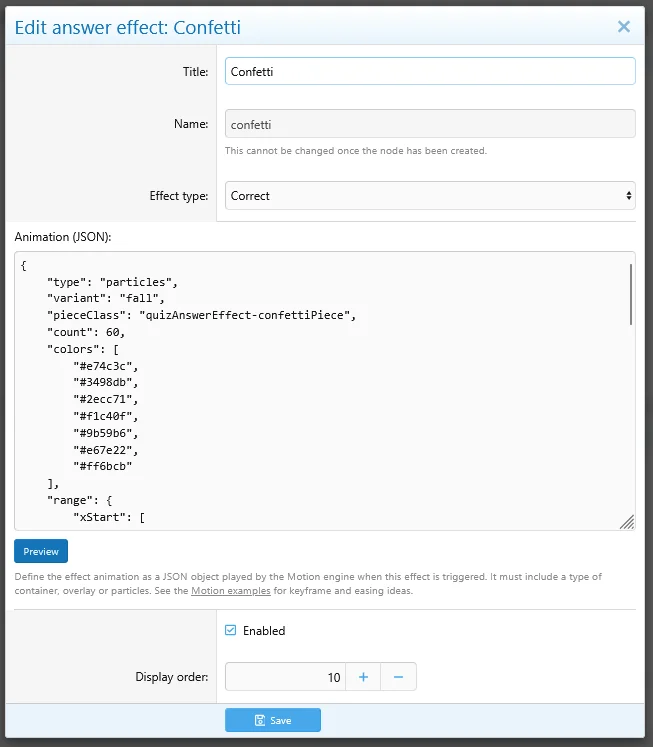
- Rebuilt answer visual effects on the Motion.js animation engine using JSON-configurable keyframes for smoother, more consistent animations across browsers.
- Added an Answer Effects manager in the ACP for creating and editing custom animations as JSON, with live preview and validation. Built-in effects are included as editable defaults.
- Added a new answer effect preview overlay with a sample quiz question and answers.
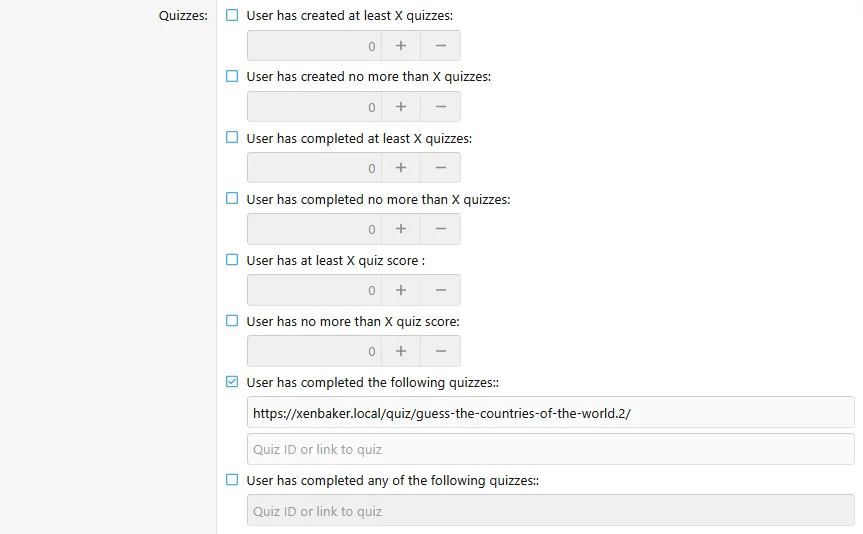
- Added completed quiz tracking for each user.
- Added two new user criteria:
- Has completed the following quizzes
- Has completed any of the following quizzes
- Added support for entering either quiz IDs or quiz URLs in the new completion criteria.
- Added an option to trigger user group promotions immediately after quiz completion.
Do you like this update?
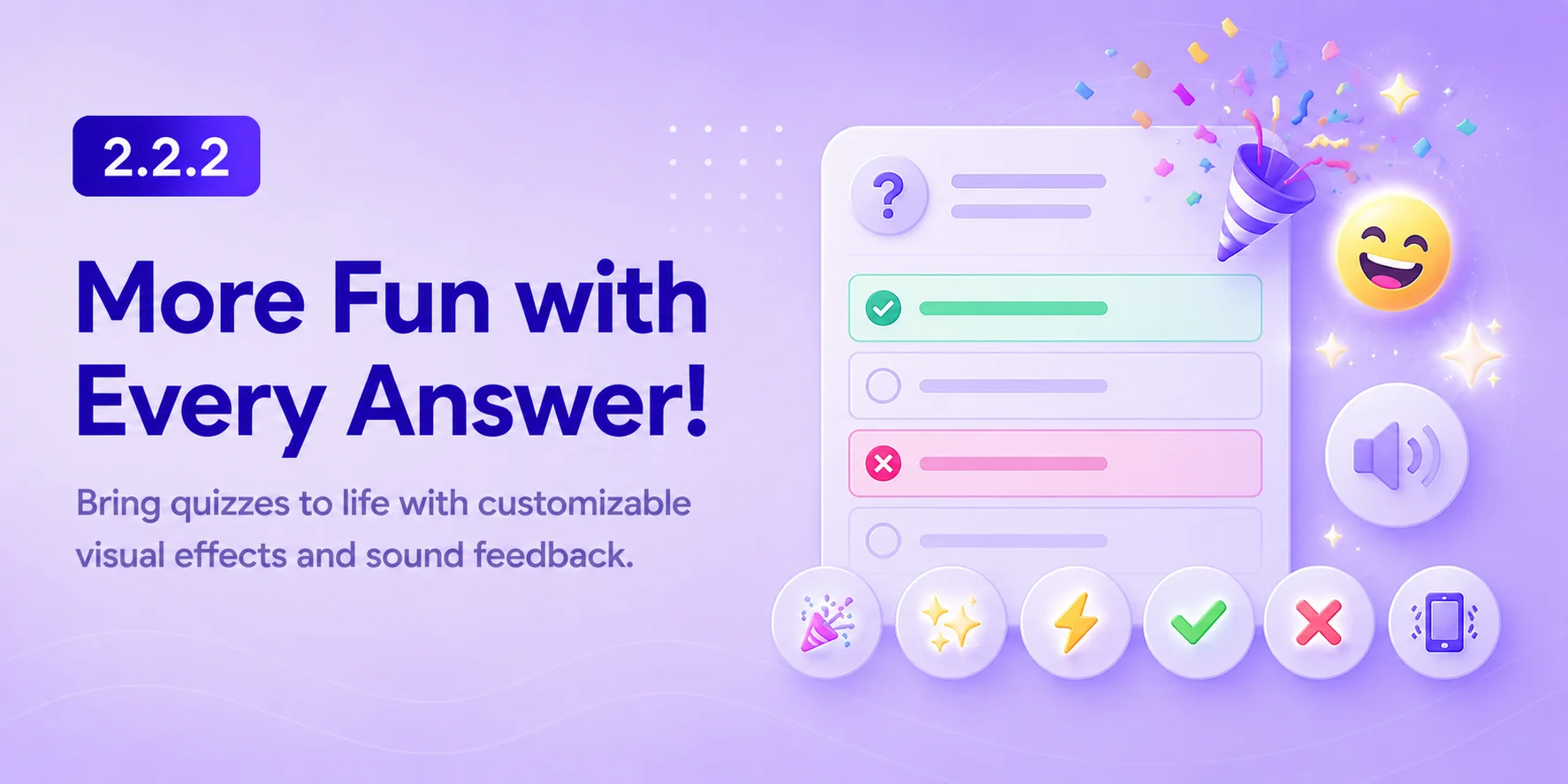
This update introduces customizable answer effects that provide instant visual feedback, making quizzes more engaging and enjoyable for participants.
Available visual effects:
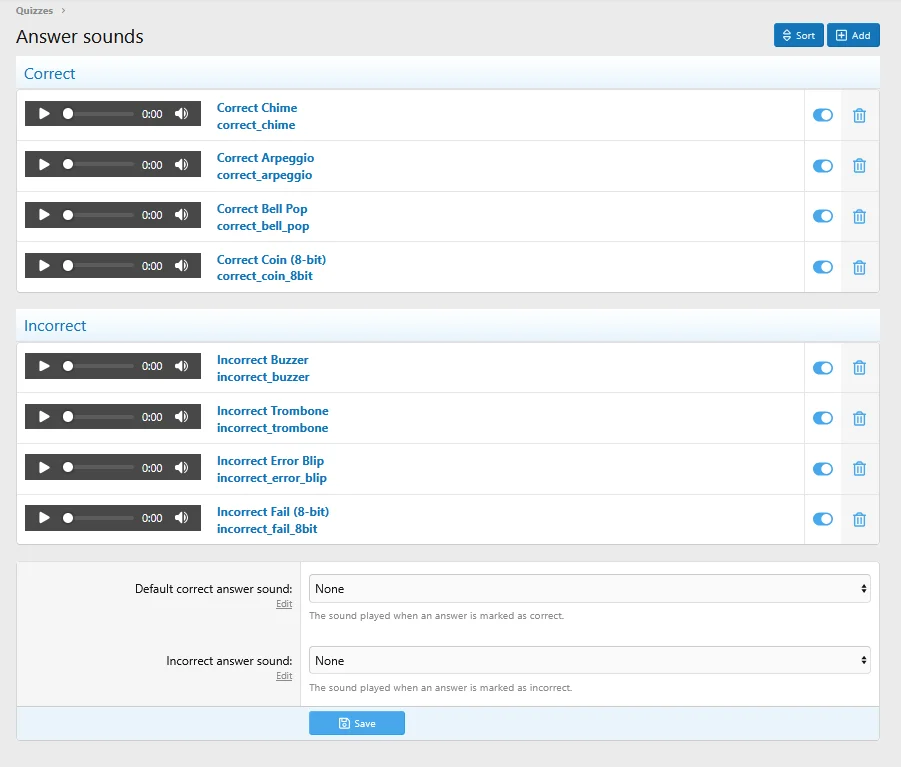
- Added support for custom sound effects for correct and incorrect answers, including eight built-in sound effects.
- Added customizable question answer visual effects that can be configured globally or per question (optional and can be disabled).
Flash
Happy Emoji
Sad Emoji
Check Icon
Cross Icon
Bounce
Shake
Grayscale Dim
Pulsing Border
Changes
- Minor improvements to the quiz creation flow to make quiz creation more intuitive.