Painbaker submitted a new resource:
[XB] Xmas Garland - Xmas Garland
Read more about this resource...
[XB] Xmas Garland - Xmas Garland
Xmas Garland
Read more about this resource...


![[XB] Xmas Garland](/data/resource_icons/0/174.jpg?1734603738)
Xmas Garland
Are you using a custom style? XF version?No worky for me... @Painbaker
Option enabled (default theme) in style props, nothing shows. Can't see a permission for it, what am I missing?
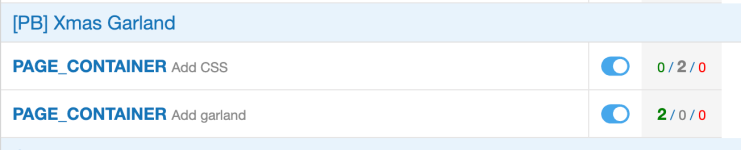
EDIT: pb_xmasgarland_PAGE_CONTAINER_css template mod doesn't show that it's applying?!?
The one looking for <xf:include template="google_analytics" />.
Fix: the audio loading issue if the forum is not located in the root of the domain
Fix: change template modification hook to apply on custom styles and older XF versions
Try the new updateNot working on the default style.
View attachment 1256
template mods work for me....using ui.x2
just seems like an issue with the js/audio
        document.addEventListener('keydown', function (j)
        {
            let i = j.target;
            if (j.which in a)
            {
                let index = parseInt(a[j.which]);
                balls = new Balls(context, buffer.getSound(index));
                balls.play();
                let ball = document.querySelector('[data-note="' + index + '"]');
                toggleBounce(ball);
            }
});https://domain.com/js/xmas-garland/script.min.jsAre you using a custom style? XF version?

Thank you - this is what I was looking for. The sounds when typing would not be popular on my site - I was looking for an option to turn them off, I didn't fully follow all that. Where do I find /js/xmas-garland/script.js - is that in templates?If anyone's interested to keep all functionality except the typing sounds:
EDIT: /js/xmas-garland/script.js
Remove:
JavaScript:document.addEventListener('keydown', function (j) { let i = j.target; if (j.which in a) { let index = parseInt(a[j.which]); balls = new Balls(context, buffer.getSound(index)); balls.play(); let ball = document.querySelector('[data-note="' + index + '"]'); toggleBounce(ball); } });
Minify and copy minified version to script.min.js on same dir.
Clear any cache if you use Cloudflare of this url:
Code:https://domain.com/js/xmas-garland/script.min.js
Ok I've found it - added /js/xmas-garland/script.js to the forum address bar. Found the bit to remove. Didn't understand the rest of the instructions!If anyone's interested to keep all functionality except the typing sounds:
EDIT: /js/xmas-garland/script.js
Remove:
JavaScript:document.addEventListener('keydown', function (j) { let i = j.target; if (j.which in a) { let index = parseInt(a[j.which]); balls = new Balls(context, buffer.getSound(index)); balls.play(); let ball = document.querySelector('[data-note="' + index + '"]'); toggleBounce(ball); } });
Minify and copy minified version to script.min.js on same dir.
Clear any cache if you use Cloudflare of this url:
Code:https://domain.com/js/xmas-garland/script.min.js