Block reference
Use Instruction steps for onboarding, account setup or another short sequence.
Configure
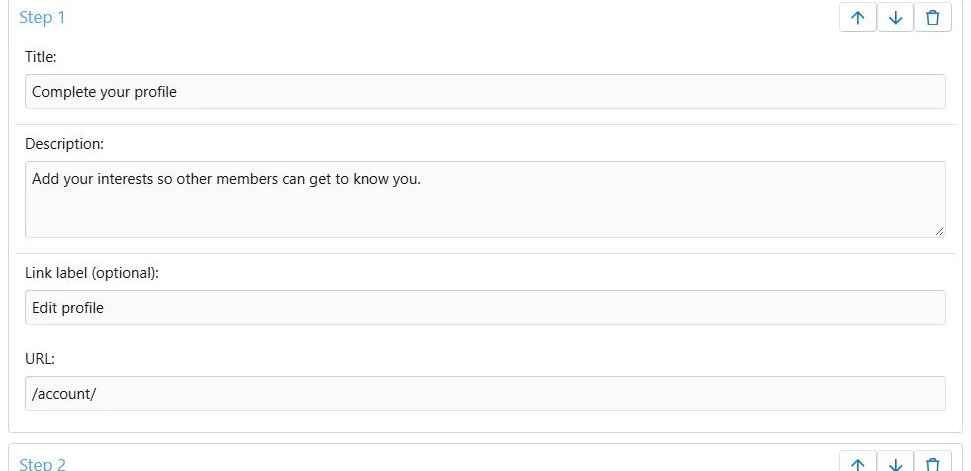
- Choose Add block > Instruction steps.
- Add an optional introduction.
- Add between 1 and 12 steps.
- Enter each step's title and description.
- Add an optional URL and link label.
- Reorder steps using their movement controls.
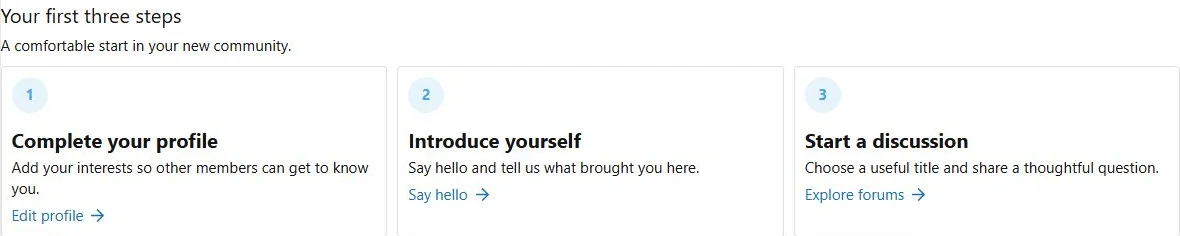
- Choose Vertical or Cards and save.
Descriptions are plain text. Titles allow 150 characters, descriptions 2,000 and link labels 100. A step URL and its link label must be supplied together or both left empty. Use Content when you need a full rich-text article or uploaded attachments.
Build numbered instructions with optional links and a shared order.
Additional presentation and behavior settings.
Translations
Translate titles, descriptions, link labels and introduction. Step URLs and ordering are shared. A completely empty translated step falls back to the complete master item; fill required translated fields together.
Reordering preserves the translations associated with each step.
Layout
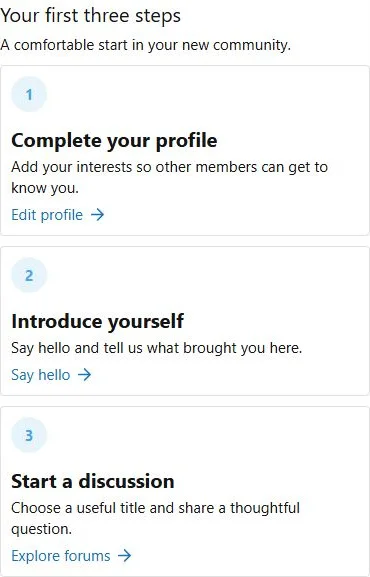
Choose Vertical for a longer process and Cards for a short overview. Review cards on phones and keep action labels short.
Example
Use three onboarding steps linking to account settings, the introduction forum and the posting guide.
Instruction steps turn onboarding into a readable sequence.
The same content at a phone viewport width of 390 pixels.


![[XB] Page Builder: Visual Constructor for Custom & Landing Page](/data/resource_icons/0/398.jpg?1792180696)