Block reference
Use Stats for a row of community totals or manually maintained numbers.
Configure
- Choose Add block > Stats.
- Add between 1 and 12 counters.
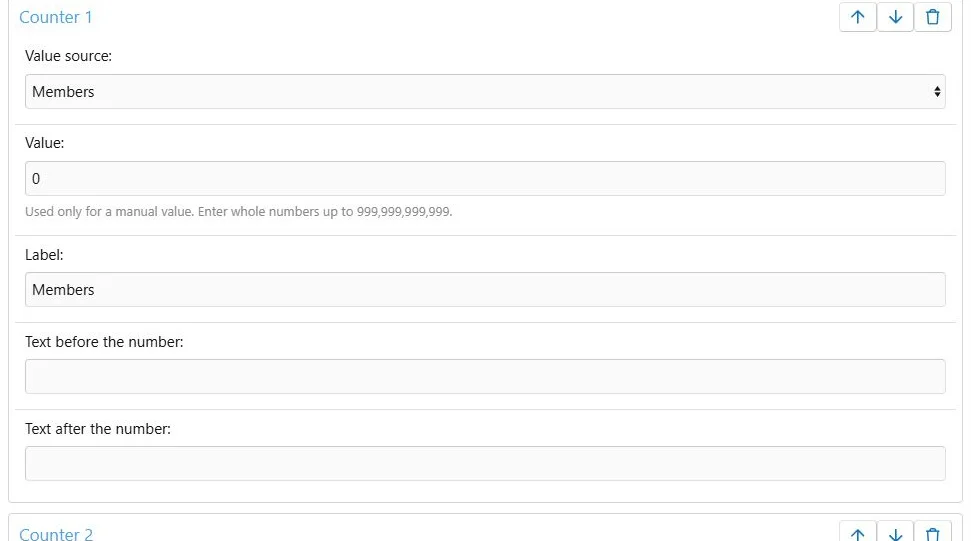
- For each counter, choose Manual, Members, Threads or Messages as its source.
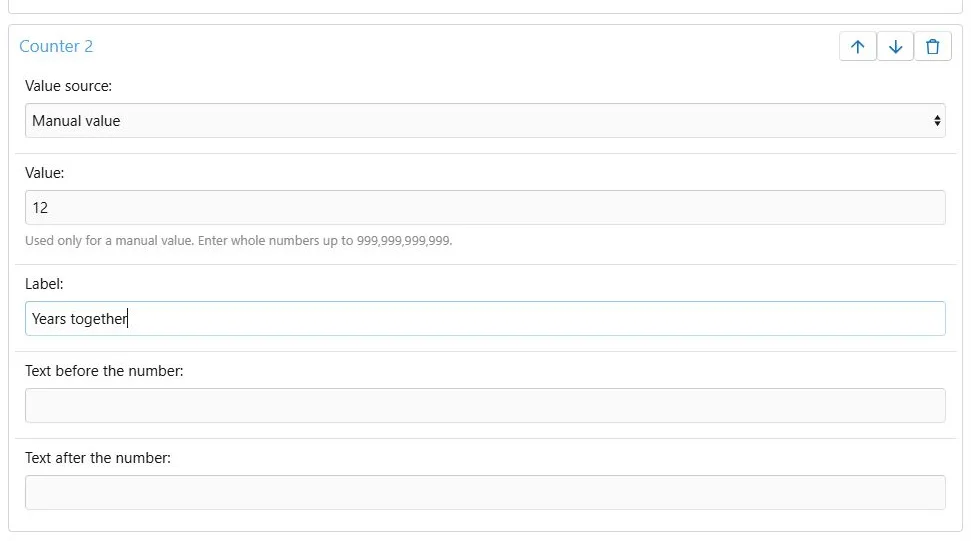
- Enter a number for a Manual source.
- Add a label and optional text before or after the number.
- Reorder counters, choose Row or Cards and optionally enable count-up animation.
- Save.
Counters use manual values or XenForo community totals.
A manual counter with its own value and label.
Values and text
Manual values are non-negative whole numbers, up to 999,999,999,999. Labels allow 100 characters; text before and after a number allows 20 characters each.
Automatic values come from XenForo totals. They are not manually entered per-language numbers or a custom analytics query.
Translations and motion
Translate labels, prefixes and suffixes. Every master counter needs a label. Leave all three translated fields empty for master-counter fallback; a non-empty translation must include a label. Counter sources and numbers are shared. Numbers are formatted for the visitor's language.
The optional count-up effect respects reduced-motion preferences. Use concise labels and inspect Cards or Row at a phone width.
Example
Use automatic
Members,
Threads and
Messages counters for a community introduction, or a manual
Years together counter with a number you maintain.
Statistics display localized numbers with translated labels.


![[XB] Page Builder: Visual Constructor for Custom & Landing Page](/data/resource_icons/0/398.jpg?1792180696)