Documentation
Choose the
quiz type before building the question set. Available settings depend on that type.
Configure
- Open the quiz's Edit action.
- Review title, description, message, prefix, tags and custom fields.
- Configure play options, result defaults and timing.
- Set activity and optional start/end dates.
- Save and start a representative attempt to check the participant's choices.
| Setting | Purpose |
|---|
| Display question list | Show the available question navigation |
| Question limit | Limit the attempt's question count; optionally let the player choose within permission limits |
| Show all questions on one page | Submit the question set together where supported |
| View next questions before answering | Allow navigation in a sequential quiz |
| Randomize questions | Shuffle the selected questions; optionally offer a player choice |
| Show correct answers during play | Reveal correctness where supported and permitted |
| Changing submitted answers | Allow revising saved responses |
| Automatically move to next question | Advance after answering in sequential play |
| Finish without viewing/answering all questions | Control early completion |
| Default feedback types | Enable site-wide fallback Grade, Notice, Summary, Scale or Highlight feedback |
| Overall time limit | Seconds allowed for the whole attempt; 0 means unlimited |
| Time-limit action | Complete automatically or stop further answering when time expires |
| Include in score | Control contribution to aggregate quiz score |
| Active and start/end dates | Control publication state and participation window |
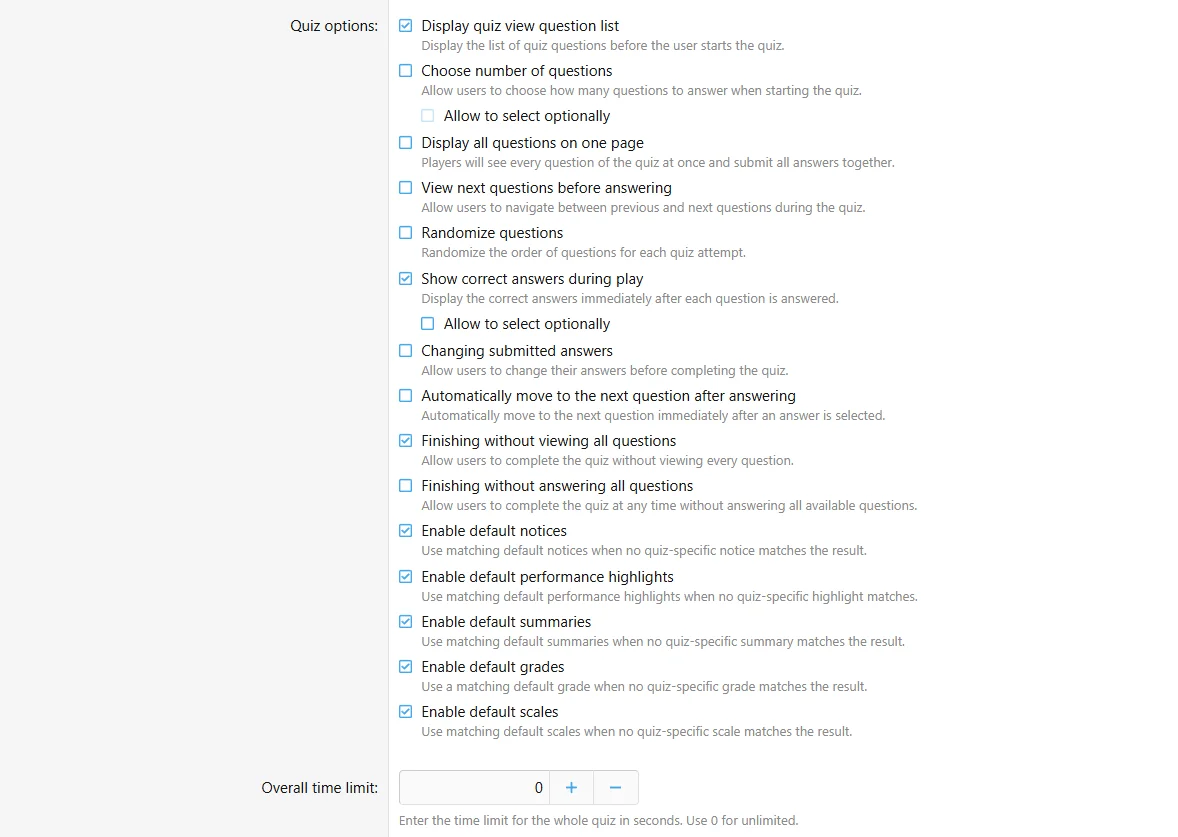
Review navigation, answer changes and feedback defaults together.
Important interactions
Single-page play is available for standard quizzes and assessments. Music quizzes use separate question pages; tournaments use matches. Previous/next navigation is disabled for single-page play.
Section question limits take precedence over a player-selected overall count. See
question management.
An optional player choice appears when starting a new attempt. Existing attempts retain their saved play options. If no choices are available, the site may skip the confirmation form.
Avoid combining immediate answer revelation with answer changes when results should measure a first response. Check schedule dates using the time zone shown by the interface.

![[XB] Quizzes: Knowledge Tests & Community Engagement](/data/resource_icons/0/172.jpg?1733558394)