
![[XB] Content Translator: AI Translation & Multilingual Content](/data/resource_icons/0/390.jpg?1791150896)
- Xenforo.com resource URL
- https://xenforo.com/community/resources/xb-content-translator-ai-translation-multilingual-content.10869/
- Compatibile XF2 versions
- 2.3
- Additional requirements
Translate XenForo posts, thread titles, direct messages, profile content, resources, media, courses, quizzes, and toplists into your members' languages using AI.
Content Translator adds automatic and one-click AI translation for multilingual XenForo communities. It supports OpenAI, Anthropic Claude, Google Gemini, and OpenAI-compatible APIs, with background translation, automatic language display, fallback providers, glossary rules, BB code preservation, usage limits, and detailed translation analytics.
Features:
Content Translation
 Preferred Content Language: Members can choose a translation language independently of their XenForo interface language, or keep automatic selection based on their browser or interface language.
 One-Click Translation: Translate supported content directly from message actions without reloading the page.
 Language Selection: Switch between available translations and the original content using a language menu.
 Translation Reports: Let members report inaccurate translations through XenForo's standard report system, with the original and translated text available to moderators.
- Optional Browser Language Detection: Offer a validated browser language for on-demand translation even when that language is not installed in XenForo.
 Automatic Translation Display: Automatically show an available translation in the preferred translation language, with an option for members to disable automatic display.
 Thread & Content Titles: Translate supported titles together with their associated content.
 Custom Field Translation: Optionally translate supported free-text custom fields for compatible content types.
 Edited Content Translation: Automatically refresh translations after content is edited.
 Edit Delay: Wait for a configurable period before retranslating edited content so several quick edits can be handled with a single translation request.
Automatic & Background Translation
 Background Translation: Translate newly published content into configured target languages without waiting for a member to request it.
 Pre-Generated Translations: Prepare translations in advance so they are immediately available when members need them.
 Persistent Translation Queue: Process background translations through a managed queue with automatic retries.
 Queue Management: Review pending and failed translation jobs from the Admin Control Panel.
 Retry Failed Translations: Retry failed translations after resolving provider or configuration problems.
 Bulk Translation Regeneration: Regenerate existing machine translations by their source profile, model, translation date, content location, and target language while preserving manually edited, reviewed, and locked translations.
 Optional Direct Message Processing: Keep direct messages on-demand by default or explicitly enable supported background processing.
AI Translation Providers
 Multiple AI Providers: Configure multiple translation profiles using different AI services, models, endpoints, and settings.
- Separate On-Demand Provider: Use a fast translation model for member-requested translations.
 Separate Background Provider: Use a different or lower-cost model for automatic background translations.
 Fallback Providers: Configure backup profiles for on-demand and background translation when the primary provider fails.
 Provider Testing: Test translation profiles from the ACP before using them on live content.
 OpenAI-Compatible APIs: Connect compatible cloud or self-hosted AI services in addition to built-in providers.
Translation Quality & Formatting
 Context-Aware Translation: Optionally send limited parent and preceding public content as reference material so AI models can resolve ambiguous wording without translating or storing the context.
- BB Code Preservation: Protect BB code structure while translating surrounding text.
 Code Protection: Keep code blocks and technical code content unchanged.
- Mention Protection: Preserve XenForo user mentions during translation.
 Link Protection: Keep links intact instead of translating or corrupting their destinations.
 Attachment & Media Protection: Preserve attachment and embedded media references exactly.
 Formatting Validation: Reject translations that damage protected formatting by default.
 Formatting Warnings: Optionally display translations with formatting problems while clearly warning the reader.
 Formatting Modes: Configure profiles to use protected formatting, simplified formatting, or raw BB code depending on the selected AI model.
 Translation Glossary: Keep selected brands, product names, technical terms, or community terminology untranslated.
 Forced Terminology: Define the exact translation that should be used for specific glossary terms.
Permissions & Cost Control
 View Translation Permission: Control which members can view translated content.
- Request Translation Permission: Independently control who can generate new translations.
 Hourly Translation Limits: Limit on-demand translation requests by user group.
 Maximum Content Length: Prevent excessively large content from being submitted for translation.
- Daily Background Limit: Set a daily character budget for automatic translations.
 Content Exclusions: Exclude selected forums, Resource Manager categories, Media Gallery categories, toplist categories, course categories, and quiz categories from translation.
 Usage Log: Review translation requests and usage from the ACP.
Statistics & Monitoring
 Translation Statistics: Monitor translation activity and AI provider usage from the Admin Control Panel.
 Request Volume: Track how many translation requests are being processed.
 Success Rates: Compare successful and failed translation requests.
 Token Usage: Monitor reported token consumption across translation profiles.
- Response Times: Review translation performance and provider response times.
 Queue Health: Monitor pending and failed background translation activity.
- Provider Performance: Compare usage and performance between configured AI translation profiles.
Supported Content:
- Posts & Thread Titles: Including optional free-text thread custom fields.
- Direct Messages: On-demand by default, with background translation available when explicitly enabled.
- Profile Posts & Comments
 XenForo Resource Manager: Resource titles, tag lines, descriptions, updates, reviews, author responses, and optional free-text custom fields.
 XenForo Media Gallery: Media and album titles and descriptions, comments, and optional free-text custom fields.
 [XB] Toplists: Toplist titles and descriptions, items, item groups, comments, reviews, and optional free-text custom fields.
 [XB] Lessons: Course and lesson titles, descriptions and content, lesson groups, lesson quiz questions with answer choices, comments, reviews, and optional free-text custom fields.
- [XB] Quizzes: Quiz titles, descriptions and overviews, questions with answer choices and explanations, result feedback, quiz and question comments, reviews, and optional free-text custom fields.
Supported AI Providers:
- OpenAI
- Anthropic Claude
 Google Gemini
- OpenAI-Compatible APIs: Including services such as DeepSeek, OpenRouter, Mistral, Ollama, and LM Studio.
Setup:
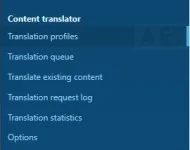
- Create a translation profile under Setup > Content translator and use the Test action to verify the configuration.
- Select target languages and translation profiles under Options > [XB] Content Translator.
- Grant View translations and Request new translations permissions to the appropriate user groups.
- Configure background translation, limits, excluded areas, glossary rules, and fallback providers as needed.
Useful for:
- International Communities: Remove language barriers between members who participate in the same community using different languages.
 Cross-Language Discussions: Let members communicate in the same threads and conversations without manually translating each message.
- Instant Content Access: Prepare translations automatically so members can read content in their preferred language.
- Cost-Controlled Translation: Balance translation speed, quality, and cost by using different AI providers for on-demand and background processing.
 Private AI Infrastructure: Use compatible self-hosted AI services when communities prefer to run translation through their own infrastructure.
FAQ:
 Does Content Translator translate the entire XenForo interface?
No. It translates supported user-generated content. XenForo phrases, templates, navigation, widgets, and complete pages are not translated.- Which languages can content be translated into?
Background and bulk target languages are based on languages configured in XenForo. Optional browser language detection can additionally offer a validated browser language for on-demand translation. - Which AI translation providers are supported?
OpenAI, Anthropic Claude, Google Gemini, and OpenAI-compatible APIs are supported. Compatible services can include DeepSeek, OpenRouter, Mistral, Ollama, and LM Studio. - Can posts be translated automatically before anyone requests a translation?
Yes. Background translation can prepare supported new content in configured target languages automatically. - Can translations be displayed automatically to members?
Yes. When a translation is available for a member's selected language, it can replace the original content automatically. Members can disable this behavior in their preferences. - Does AI translation preserve BB code and links?
Yes. BB code, code blocks, mentions, links, attachments, and media are protected. Translations that damage protected formatting are rejected by default. - Can translations use the surrounding discussion as context? Yes. Context-aware translation can send a configurable amount of parent and preceding public content to the provider as reference material. The context is not translated or stored with the translation.
- Can I prevent brand names or technical terms from being translated?
Yes. The glossary can preserve selected terms or force specific translations. - Can I limit AI translation costs?
Yes. Configure maximum content length, hourly user-group request limits, daily background character limits, excluded content areas, and separate translation profiles. - Can another AI provider be used if the primary provider fails?
Yes. Separate fallback profiles can be configured for on-demand and background translation. - Are direct messages sent to an AI provider automatically?
No, not by default. Direct messages are translated on demand unless background translation is explicitly enabled. Bulk translation of existing direct messages must also be explicitly allowed.
Screenshots:
Public interface
Switch a discussion between available translation languages and the original content directly from the post action bar. |
Translate a resource title and content while preserving its BB code structure, links, lists, tables, quotes, spoilers, and code blocks. |
Review the current translation, generate another version with a selected profile, or protect a reviewed translation from automatic updates. |
Edit translated content, mark it as human-reviewed, and control whether automatic updates may replace it. |
Translation profiles
Create provider profiles and assign primary and fallback profiles for on-demand and background translation. |
Configure the provider endpoint, model, response format, limits, and additional translation instructions. |
Translation options
Choose target languages and supported content, exclude selected areas, and configure automatic display and edit handling. |
Select profiles, fallback profiles, background content types, and glossary rules. |
Control content length, background usage, translation history, log retention, and direct-message bulk processing. |
Permissions
Control who can view, request, manage, and edit translations, including hourly request limits. |
Queue, bulk translation, and monitoring
Monitor pending, processing, and failed translation jobs, with actions to retry or remove individual jobs. |
Select content types, locations, dates, languages, and translation state before calculating the bulk translation volume. |
Review the calculated content list and follow bulk translation progress as matching items are queued. |
Review request volume, success rate, token usage, response time, queue health, and profile performance. |


![[XB] Change Attachment Name](/data/resource_icons/0/51.jpg?1774995160)
![[XB] Push Statistics: Push Notification Analytics & Subscriber Tracking](/data/resource_icons/0/389.jpg?1790982366)
![[XB] Leaderboard: Member Rankings, Seasons & Rewards](/data/resource_icons/0/388.jpg?1790944355)
![[XB] Content Badges: Community-Driven Awards & Gifts](/data/resource_icons/0/147.jpg?1732723468)
![[XB] Daily Login Streak: Rewards, Activity Heatmaps & Calendars](/data/resource_icons/0/255.jpg?1774902389)