Documentation home
Start with the page and row settings, then adjust the style properties when you want a consistent appearance across pages.
Page layout
| Layout | Use |
|---|
| Default | Content pages within the normal forum width |
| Full width | Landing pages that need the page-width limit removed |
Page settings can also hide breadcrumbs and notices and control the visible title. Hiding these elements changes presentation; it does not change access.
Row appearance
Rows can use boxed or full-width backgrounds, with None, Content, Page or Hero styles and four spacing choices. Page and row layout work together: a full-width row background and its content width are separate design choices.
For a landing page, try Full width on the page, a Hero first row and Content rows below it.
Block appearance presets
These presets apply to pages using the Default layout:
| Preset | Result |
|---|
| Default | Standard block presentation |
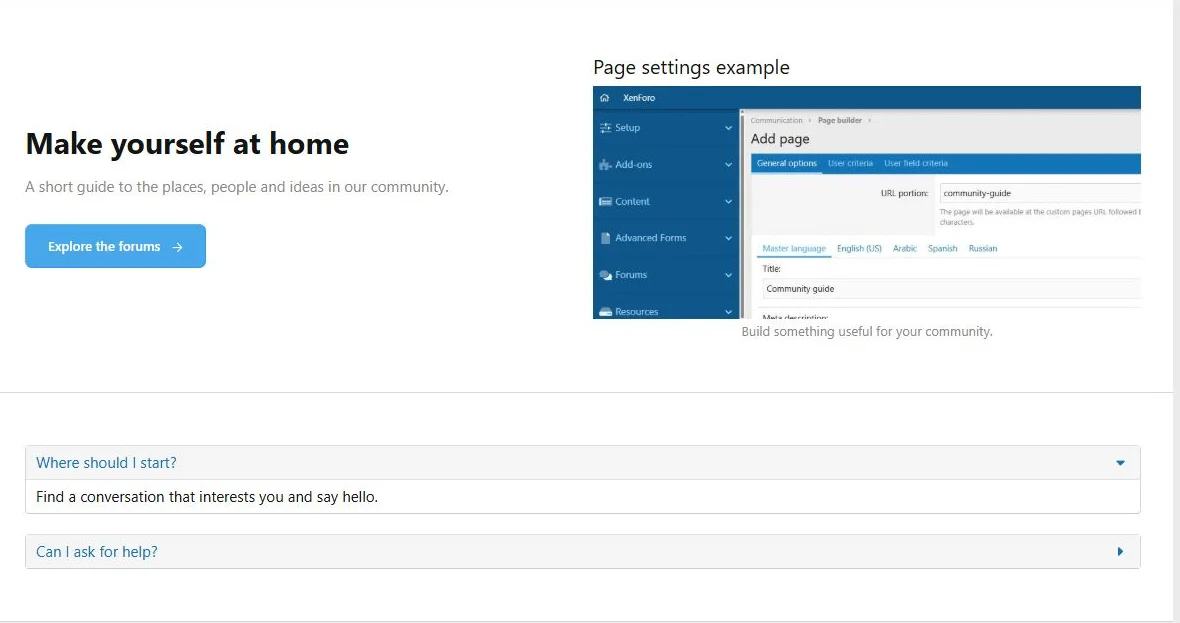
| Compact sections | Adapts landing-page sections to the normal forum width |
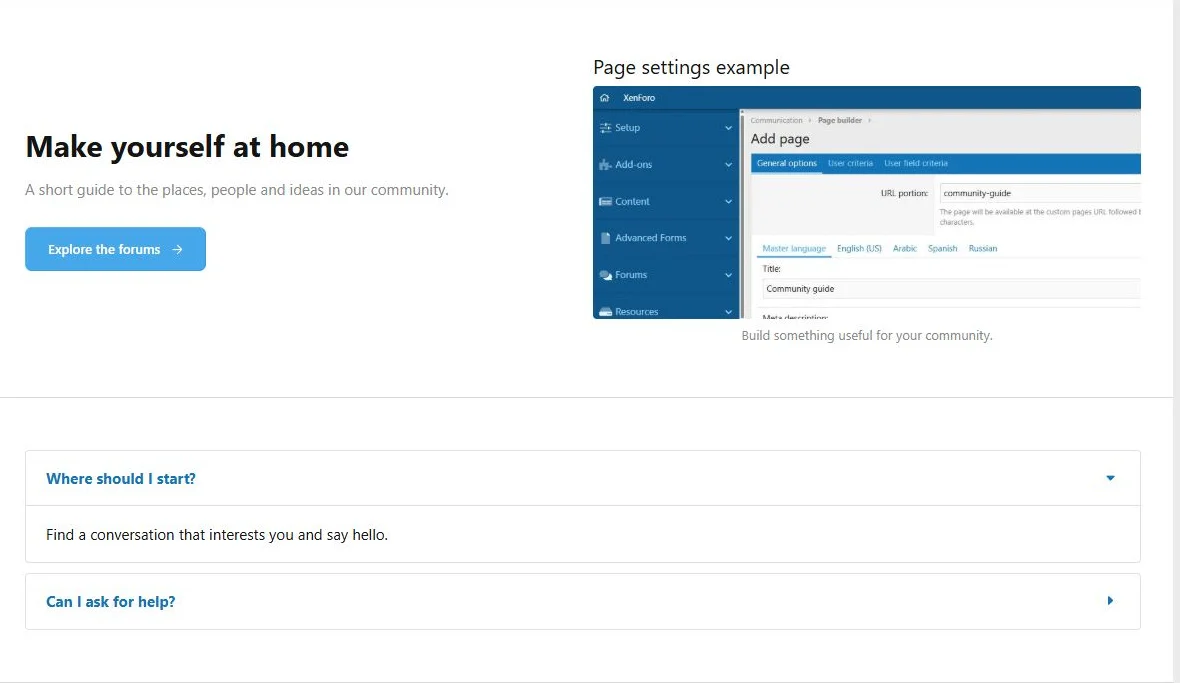
| Sequential blocks | Also stacks content and media columns and gives FAQ items separate compact containers |
Presets are carried over when copying or exporting a page. For independent desktop columns, begin with Default.
The Compact sections appearance preset.
The Sequential blocks appearance preset.
Style properties
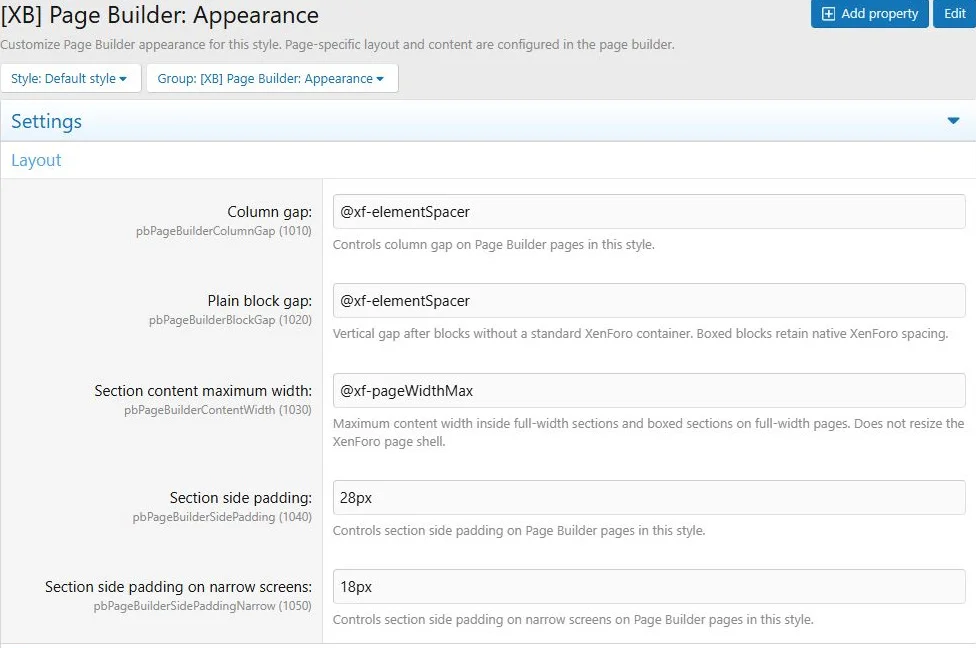
Open
Appearance > Styles, choose a style, then open
Style properties > [XB] Page Builder: Appearance.
The group includes page content width and side padding, gaps, section backgrounds and spacing, Hero presentation, CTA text, buttons, feature cards, forum thread panels and resource cards. Narrow-screen overrides are available for selected properties.
- Select the style visitors actually use.
- Change a small set of related properties.
- Save and reload a representative page in that style.
- Check another page that uses the same blocks.
These properties apply to all relevant Page Builder pages in the selected style; page settings affect the individual page.
Style properties control shared Page Builder presentation for each XenForo style.
Custom classes and CSS
Add space-separated class names to a page, row, column or block. Enter class names without a leading dot.
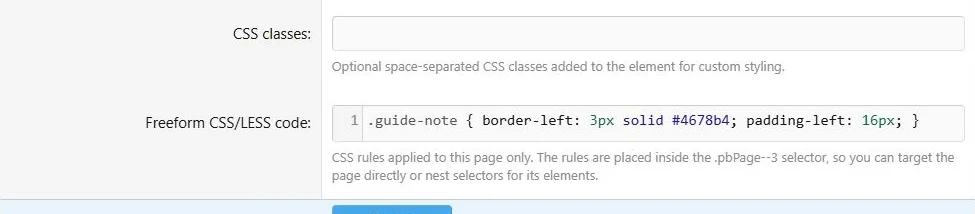
The page CSS editor scopes rules to the current page. Use nested selectors to target your own classes. For a block with the class
guide-note, for example:
CSS:
.guide-note {
    border-left: 3px solid #4678b4;
    padding-left: 16px;
}
The page's scope is added for you. Do not hard-code a page ID in portable rules.
An optional add-on setting validates page CSS on save. If a rule is rejected, correct the syntax and save again.
Page CSS targets custom classes within that page.
The custom styling applied to the public content block.
Responsive review
Set narrow widths in the column editor and inspect the public page. Also check the block's own options: Image can hide on narrow screens, Illustration can hide or compact, and Comparison table can scroll or use cards.
Custom HTML, embedded media and existing widgets keep their own responsive behavior. Review them in the styles you support.

![[XB] Page Builder: Visual Constructor for Custom & Landing Page](/data/resource_icons/0/398.jpg?1792180696)