Documentation home
In the builder, open a column's
Add block menu, choose a type, complete the form and save.
Choose a block
Common settings
| Setting | Purpose |
|---|
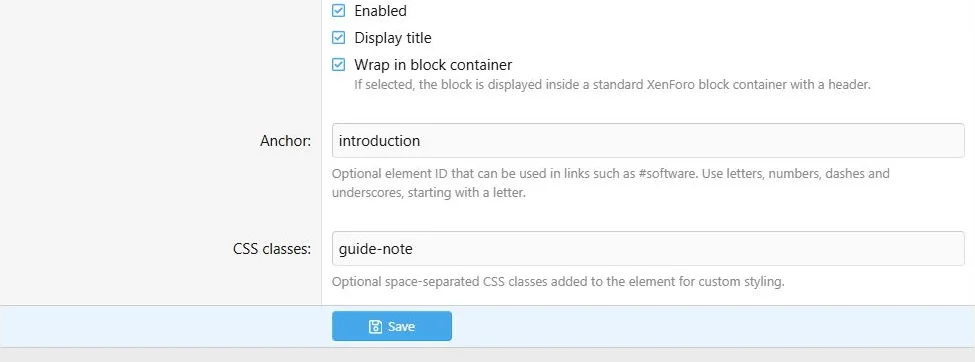
| Enabled | Allows the block to display when its page, row and audience rules allow it |
| Display title | Shows the standard heading where the block type supports it |
| Wrap in block container | Adds standard XenForo block presentation where available |
| Anchor | A direct fragment target, such as faq-membership |
| CSS classes | Space-separated class names for custom styling |
| User criteria | Restricts the audience for this block |
Some specialized blocks render their own headings or output, so the common title/container controls are not offered in every form.
Common block controls handle visibility, containers, anchors and custom classes.
Text, buttons and translations
Content and FAQ use rich content fields. CTA, Feature card and several other specialized types use plain-text fields. Tabs accept BB code in their own item editor. Do not assume that HTML or attachment uploads are available in every type.
Button destinations and styles are shared settings; labels are translated content. Feature and button icons use Font Awesome classes and the Core Library picker where provided.
Use
Translations for fallback rules and
Appearance for page-wide presentation.
Copying
Duplicate a local block to reuse its configuration on the current page. A duplicate gets a unique anchor. Global placements still reference the same shared source; detach one if it needs independent editing.

![[XB] Page Builder: Visual Constructor for Custom & Landing Page](/data/resource_icons/0/398.jpg?1792180696)