Block reference
Use Comparison table to explain plan differences or compare features.
Configure
- Choose Add block > Comparison table.
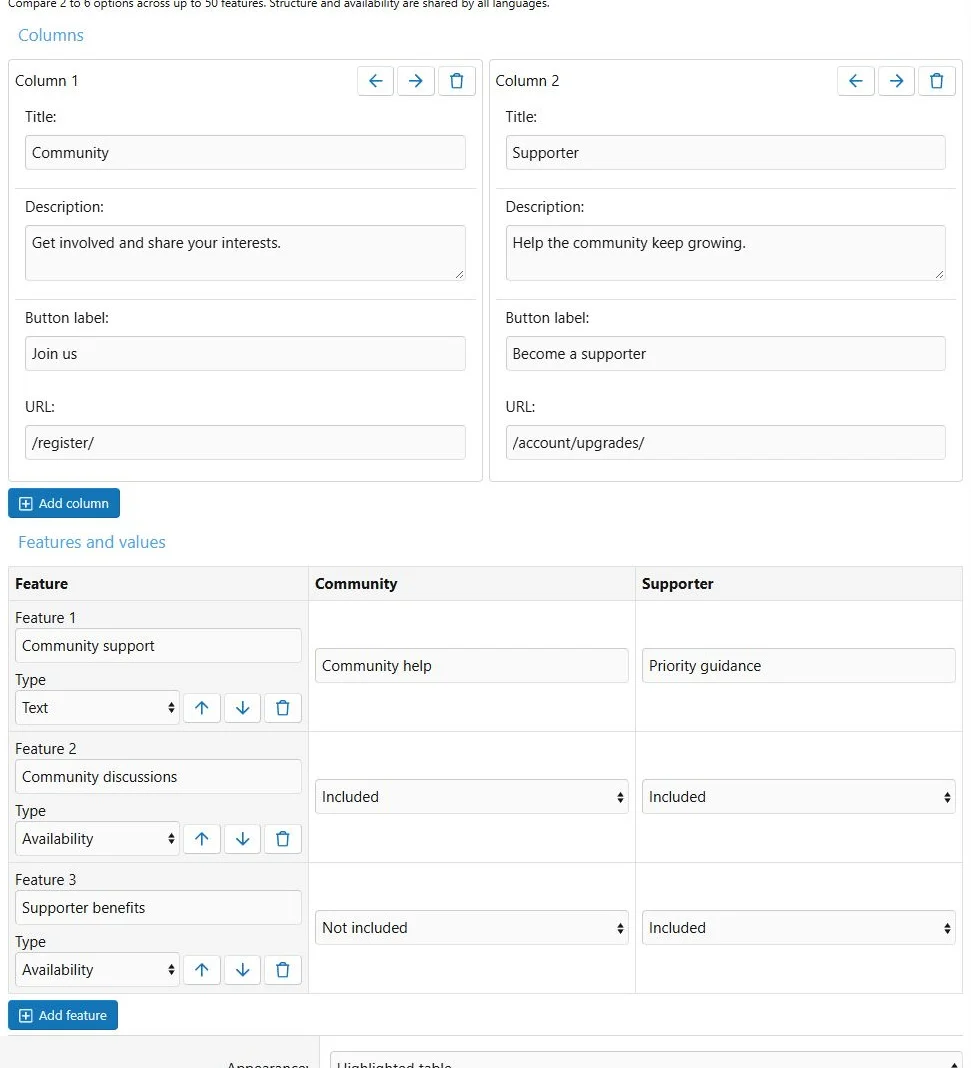
- Add comparison columns, up to a maximum of 6.
- Give each column a title, optional description, button label and destination.
- Add feature rows, up to a maximum of 50.
- Choose Text or availability status for each row.
- Fill each column's feature value.
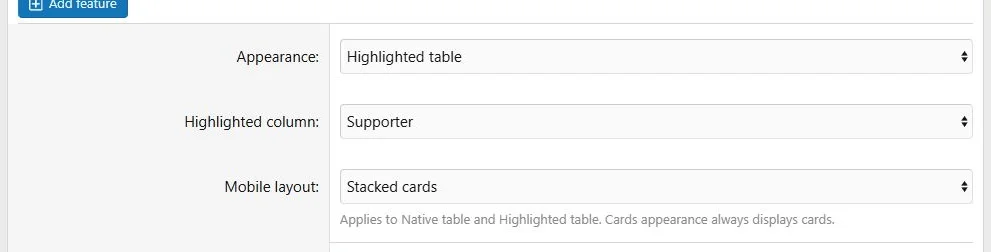
- Reorder columns and rows, select an optional highlighted column and save.
Availability statuses are Included, Excluded and Limited. Every master column needs a title, every feature needs a label and every master text cell needs a value. A column with a destination URL also needs a button label. Optional introduction, heading and badge text provide additional context.
Comparison columns and feature rows are edited independently.
Additional presentation and behavior settings.
Appearance
| Appearance | Use |
|---|
| Native table | Standard tabular comparison |
| Highlighted table | More prominent table presentation |
| Cards | Responsive cards at all screen sizes |
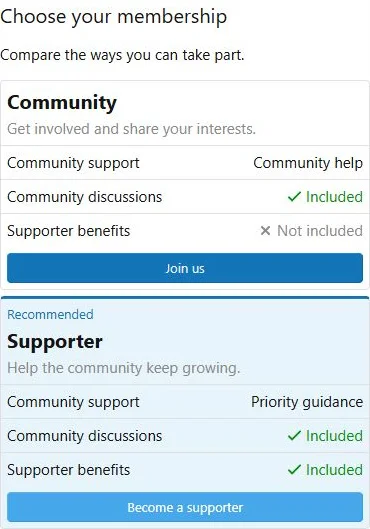
For table appearances, select a narrow-screen layout: horizontal scrolling or stacked cards. Cards appearance remains cards regardless of the separate mobile table setting.
Translations
Translate column titles, descriptions, button labels, feature labels, text values and supporting text. Column URLs, feature types, status values, ordering and highlighting are shared settings.
The block describes plans and links to destinations; it does not create memberships or process payments.
Example
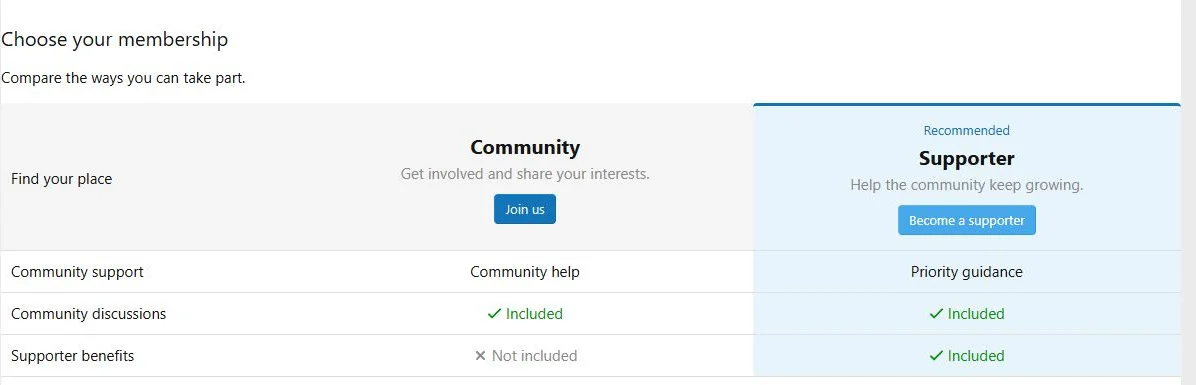
Compare Community and Supporter with a text row for support response times and status rows for member benefits. Highlight Supporter and link its button to your existing upgrade page.
A comparison can use a desktop table and stacked cards on phones.
The same content at a phone viewport width of 390 pixels.

![[XB] Page Builder: Visual Constructor for Custom & Landing Page](/data/resource_icons/0/398.jpg?1792180696)