Block reference
Use Tabs to group related BB code sections without a long uninterrupted page.
Configure
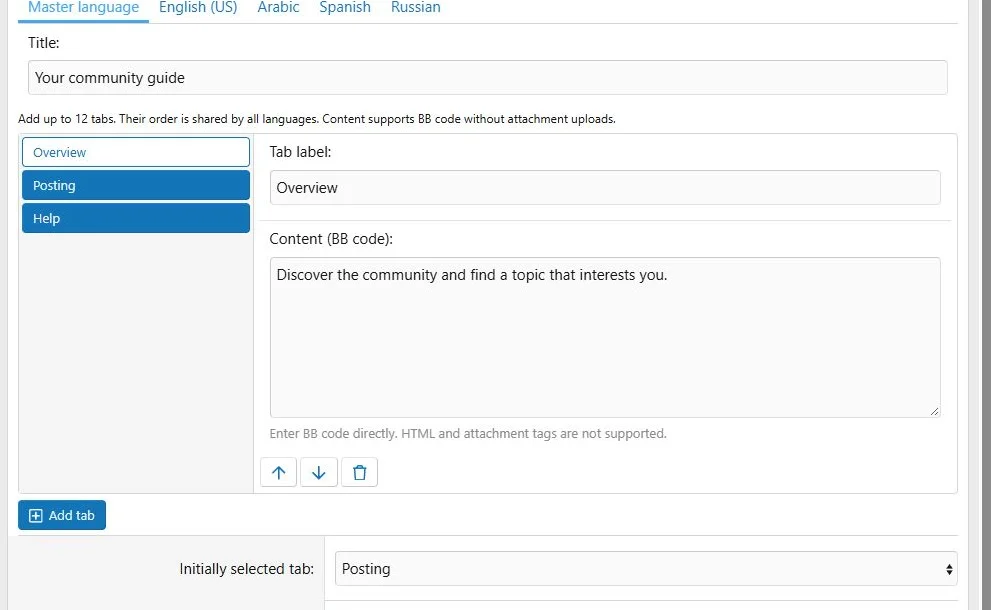
- Choose Add block > Tabs.
- In the master language, add between 1 and 12 tabs.
- Give each tab a label and body.
- Use the item movement controls to change order.
- Choose the initially selected tab and save.
Labels allow up to 100 characters; bodies allow up to 20,000 characters. The body accepts BB code entered directly in the tab editor. It does not offer HTML mode or attachment uploads.
Manage tab labels, BB code bodies, ordering and the initial selection.
Translations
Translate each label and body together. Leave both empty for complete master-item fallback; a partial pair is invalid. The item structure and initial selection are shared across languages. Reordering retains translations.
Public behavior
Visitors select labels to switch panels. Keyboard navigation is supported. Labels wrap on narrow screens, and the content remains readable when JavaScript is unavailable.
Check the longest label in each language and any wide BB code content.
Example
Create
Overview,
Posting and
Help sections for a community guide.
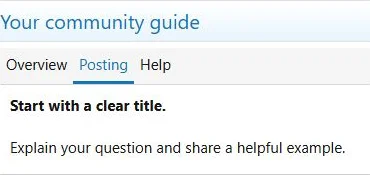
Tabs organize related sections while preserving readable labels on phones.
The same content at a phone viewport width of 390 pixels.


![[XB] Page Builder: Visual Constructor for Custom & Landing Page](/data/resource_icons/0/398.jpg?1792180696)