
Documentation
Build a short geography test before exploring specialized quiz types.
- Open Quizzes > Add quiz and choose a category where you can create content.
- Select Quiz and enter a title such as Around the World in Five Questions.
- Add a short description and introductory message explaining how to participate.
- Keep the quiz inactive while preparing it. Review the play settings.
- Save, select Add question, and choose Single choice.
- Enter Which ocean is the largest? Add Pacific, Atlantic and Indian as choices; mark Pacific as correct.
- Add an explanation and use a correct score of 1 and wrong score of 0. Save and add the remaining questions.
- Add a Grade or Summary if you want tailored result feedback.
- Activate the quiz, play it as an ordinary member and complete the attempt.
- Check the score, explanations, feedback and access before sharing the quiz.
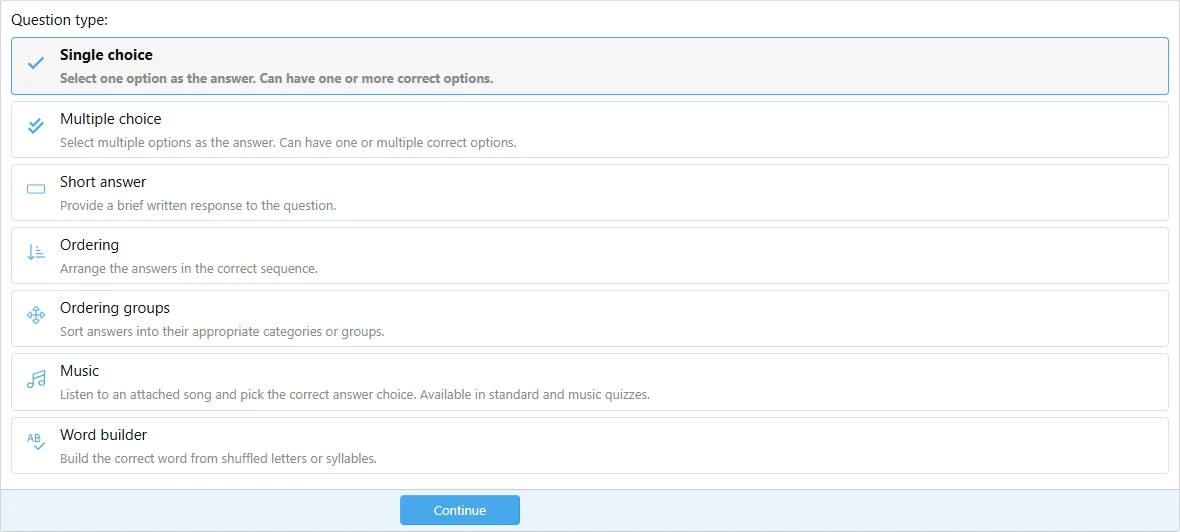
Choose an answer method before entering the question.
Test an incorrect response as well as a correct one. Confirm that repeats and answer changes behave as intended.
-
Before purchasing:
Please review the product description and compatibility requirements before placing your order. Contact us with any questions to confirm the product meets your needs. Refunds are not available once the product has been downloaded. By purchasing, you agree to our License Agreement. -
![[XB] Quizzes: Knowledge Tests & Community Engagement](/data/resource_icons/0/172.jpg?1733558394)
[XB] Quizzes: Knowledge Tests & Community Engagement 2.4.4
- Author Painbaker
- Creation date
- Featured