
Feedback types · Documentation
Show a short classification and style the result presentation.
Configure
- Add Grade feedback.
- Set the minimum score and label.
- Choose the presentation class.
- Add answer criteria where needed and test boundary scores.
Fields
Field Purpose Minimum score Lowest eligible completion score Label Short result classification Class Result styling, including neutral, success and severity levels Answer criteria Optional required responses
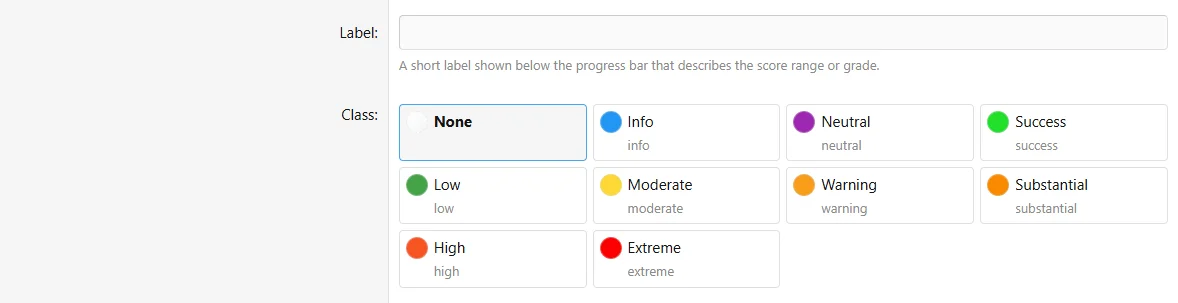
Configure the grade fields in the authoring form.
Behavior and limits
Only one matching Grade displays. Higher eligible minimum scores are considered first. See shared criteria and fallback rules.
Example
Use Proficient from 12 points and Advanced from 18 points.
-
Before purchasing:
Please review the product description and compatibility requirements before placing your order. Contact us with any questions to confirm the product meets your needs. Refunds are not available once the product has been downloaded. By purchasing, you agree to our License Agreement. -
![[XB] Quizzes: Knowledge Tests & Community Engagement](/data/resource_icons/0/172.jpg?1733558394)
[XB] Quizzes: Knowledge Tests & Community Engagement 2.4.4
- Author Painbaker
- Creation date
- Featured