
Feedback types · Documentation
Display a compact performance badge for a score range or comparison.
Configure
- Add Highlight feedback.
- Choose score range or average comparison.
- Configure the condition, icon and color.
- Add optional answer criteria and test matching and non-matching results.
Fields
Field Purpose Condition type Score range or comparison with quiz average Score range Minimum and optional maximum score; maximum 0 imposes no upper bound Average metric Score or time spent Direction Above or below average Difference Absolute amount or percentage difference Icon and class Font Awesome 5 icon and color Message Tooltip content where provided
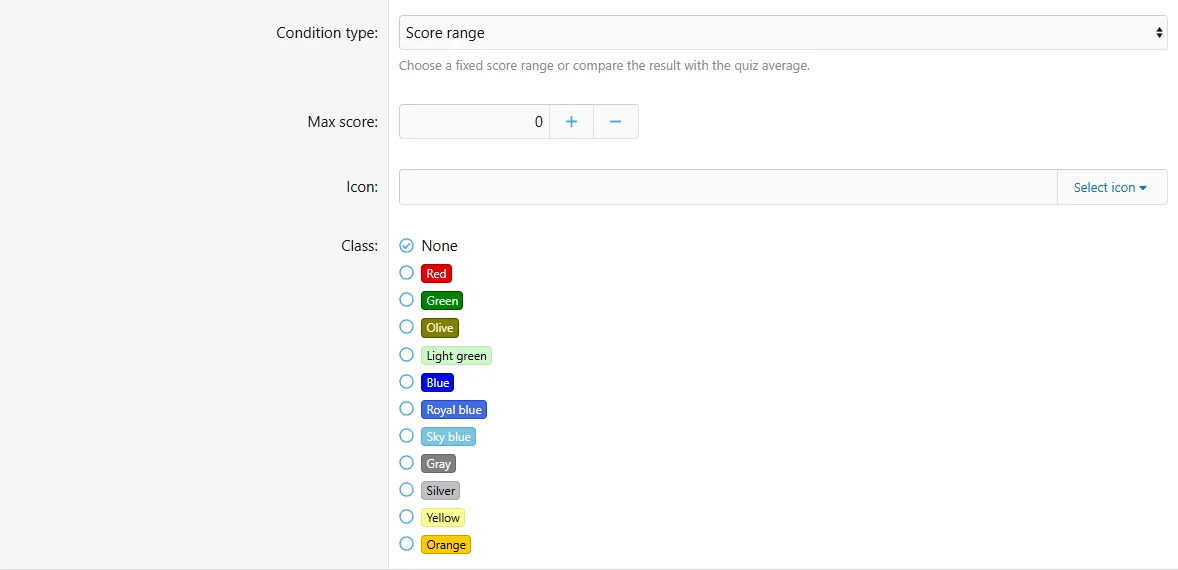
Configure the highlight fields in the authoring form.
Behavior and limits
Multiple Highlights can display. Average comparisons use a strict above/below condition and do not match when the average is zero. They replace ordinary score-range criteria. Defaults of this type are suppressed when local Highlight feedback matches; see fallback rules.
Example
Show a highlight when completion time is below the quiz average by more than 10 percent.
-
Before purchasing:
Please review the product description and compatibility requirements before placing your order. Contact us with any questions to confirm the product meets your needs. Refunds are not available once the product has been downloaded. By purchasing, you agree to our License Agreement. -
![[XB] Quizzes: Knowledge Tests & Community Engagement](/data/resource_icons/0/172.jpg?1733558394)
[XB] Quizzes: Knowledge Tests & Community Engagement 2.4.4
- Author Painbaker
- Creation date
- Featured