[XB] Badges

[XB] Badges 2.4.0

No permission to download
Xenforo.com resource URL
https://xenforo.com/community/resources/xb-badges.8456/
Compatibile XF2 versions
  1. 2.3
886b9a7a-3379-44c5-9a8e-b743076e183a-1.webp


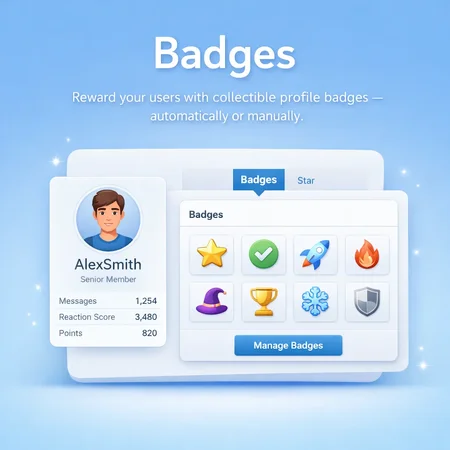
Create collectible XenForo badges and award them automatically through user criteria or manually through staff tools.

Organize achievements into categories and tiers, build visual progression with badge stacks, and let members feature their favorite awards across profiles, member cards, tooltips, and posts.


Features:​

Badge Creation & Design​

  • ๐ŸŽจ Flexible Badge Icons: Use Font Awesome, Material Design Icons, uploaded assets, external images with high-resolution variants, or custom HTML.
  • ๐Ÿ—‚๏ธ Categories & Display Order: Organize badges into ordered categories with their own icons and styling.
  • ๐Ÿชœ Badge Tiers: Create color-coded tiers with optional custom CSS for clear achievement levels.
  • ๐Ÿงฑ Badge Stacks: Group related badges into visual progression stacks and optionally show stacked counters.
  • ๐Ÿ”— Custom Badge Links: Send members to a relevant page when they click a badge and configure additional link attributes.
  • ๐Ÿ–ผ๏ธ Configurable Badge Grids: Choose how badges appear on the help page and member badge tab.

Awarding & Management​

  • โš™๏ธ Automatic Badge Awards: Award and revoke badges according to XenForo user criteria on a scheduled or session-based update cycle.
  • ๐Ÿ› ๏ธ Manual Awards: Allow authorized staff to award or take away eligible badges from member profiles, with an optional award reason.
  • ๐Ÿ” Repeatable Awards: Let members earn selected badges more than once, with an optional delay between awards.
  • ๐Ÿ‘ฅ Batch Operations: Award, revoke, activate, deactivate, or update badges and user awards in bulk.
  • ๐Ÿ”” Award Notifications: Notify recipients through XenForo alerts and optional email notifications.
  • ๐Ÿ“ค Export & Import: Export badges to XML, import badge collections, and retain categories, tiers, icons, links, and active states.

Member Experience​

  • ๐Ÿ† Featured Badges: Let members feature their preferred awards, subject to configurable limits and permissions.
  • ๐Ÿ‘ค Profile Badge Collection: Display earned badges, award dates, reasons, categories, and stacks on a dedicated member profile tab.
  • ๐Ÿ’ฌ Forum-Wide Display: Show featured badges in posts, member profiles, member cards, and member tooltips with responsive style controls.
  • ๐Ÿ“– Badge Directory: Provide a categorized help page where members can browse available achievements and see which badges they have earned.
  • ๐Ÿ”ข Badge Counts: Display each member's collected badge total in profile statistics.

Administration & Integrations​

  • ๐Ÿ”Ž Member Search Criteria: Find users by awarded badges or by the number of badges they have collected.
  • ๐Ÿšซ Ban Workflow: Optionally remove all badges while banning a member.
  • ๐Ÿ” Granular Permissions: Control who can view badge tabs and recipient lists, award or take away badges, and manage featured badges.
  • ๐Ÿ”Œ REST API: Read badges, categories, tiers, and user awards; authorized API clients can also award, edit, feature, remove, or delete supported records.
  • ๐Ÿ’ณ DBTech Credits Integration: Use badge awards as an event trigger when DragonByte Credits is installed.

Permissions:​

  • ๐Ÿ‘๏ธ View Member Badges: Choose who can view another member's badge tab.
  • ๐Ÿ“‹ View Awarded Members: Control access to the list of members who received a badge.
  • ๐ŸŽ–๏ธ Award Badges: Allow selected staff or user groups to award manually available badges.
  • โ†ฉ๏ธ Take Away Badges: Allow selected staff or user groups to revoke eligible awards.
  • ๐ŸŒŸ Manage Featured Badges: Let members manage their own featured awards or allow staff to manage them for any member.
  • ๐Ÿ”ข Featured Badge Limit: Set the maximum number of badges a member may feature.

Requirements:​


Installation:​

Upload the .zip file using Install/upgrade from archive in Admin control panel โ†’ Add-ons.


Importing From Another Badge Add-on:​

  1. Disable the old add-on ([VersoBit] Badges or [bd] Metals).
  2. Install [XB] Badges.
  3. Go to Admin control panel โ†’ Tools โ†’ Import data.
  4. Select [OzzModz] Badges: [VersoBit] Badges or [bd] Metals and complete the importer.
  5. Verify the imported badges and member awards, then uninstall the old add-on if it is no longer needed.

Useful for:​

  • ๐ŸŽฏ Community Engagement: Reward meaningful participation, milestones, and valuable contributions.
  • ๐ŸŽ“ Learning Communities: Represent courses, skills, certifications, and progressive achievement levels.
  • ๐ŸŽฎ Gamification: Build collectible achievements, repeatable challenges, and visible progression paths.
  • ๐Ÿค Recognition Programs: Highlight staff picks, event participation, supporter status, or community service.
  • ๐ŸŒŸ Member Identity: Give users a curated set of featured awards to display throughout the forum.

Recommended Extensions:​


Credits:​

This project is derived from Badges by @CMTV and @VersoBit.
Author
Painbaker
Views
3,649
First release
Last update

Ratings

4.60 star(s) 5 ratings

This resource in collections

  • User Engagement
    User Engagement
    Boost forum activity and keep your members coming back with tools designed to increase...

More resources from Painbaker

Latest updates

  1. 2.4.0

    ๐Ÿ… Better Badge Management, Security & Customization! This update modernizes badge presentation...
  2. 2.3.7 Patch Level 3

    Fix: wrap user badge update in single DB transaction Fix: ensure consistent badge award...
  3. 2.3.7 Patch Level 2

    Minor code optimization when awarding repetitive user badges Fixed awarding duplicate...

Latest reviews

Thanks
Back
Top