
![[XB] Daily Rewards: Events, Campaigns & Recurring Rewards](/data/resource_icons/0/26.jpg?1790110423)
- Xenforo.com resource URL
- https://xenforo.com/community/resources/xb-user-calendar-rewards.8954/
- Compatibile XF2 versions
- 2.3
Create scheduled reward events and multi-event campaigns for your XenForo community.
Members can claim rewards during eligible event dates or receive them automatically at the start or end of an occurrence. Set up recurring schedules, connect dates in campaigns, manage reward stock and claim limits, and let members follow their progress in a calendar and personal dashboard. The dashboard's daily streak tracks manual reward claims; it does not count logins.
Commissioned by @Forsaken
Features:
Events & Scheduling
 Event-Based Rewards: Create scheduled events where eligible members can receive configured rewards.
 Recurring Events: Schedule daily, weekly, monthly, or yearly event series with intervals, selected weekdays, end dates, and occurrence limits.
 Time Zone Support: Keep recurring event times consistent in the configured series time zone, including daylight saving changes.
- 🗓 Occurrence Management: Preview upcoming occurrences and reschedule or cancel individual dates without changing the entire series.
- 🗓 Calendar & List Views: Browse rewards using a calendar or grouped event agenda, with the selected view retained for the session.
 Personal Calendar Export: Export visible event occurrences as iCalendar files for Google Calendar, Apple Calendar, Outlook, and other compatible calendar applications.
 Custom Event Appearance: Upload event background images and customize event presentation.
 Event Duplication: Duplicate events with optional rewards, appearance, user criteria, and discussion threads, or copy only basic event data.
 XML Import & Export: Transfer event and reward configurations between installations.
Rewards & Claims
 Multiple Rewards: Assign multiple reward types to individual events and campaigns.
 User Criteria: Restrict reward eligibility using configurable XenForo user criteria.
- 🎟 Per-Occurrence Rewards: Allow members to receive rewards independently for each occurrence of a recurring event.
- ⚙ Manual or Automatic Rewards: Let members claim rewards manually or deliver them automatically at the beginning or end of an event occurrence.
 Reward History: Keep permanent records of awarded claims and reward activity.
 Administrator Log Filters: Find reward log entries by member name, event title, occurrence date, delivery mode, and award date range.
 Today's Events Widget: Highlight currently available reward events for eligible members.
 Participation Criteria: Use reward participation in additional user criteria and community workflows.
Multi-Event Campaigns
 Reward Campaigns: Combine selected event dates into larger campaigns with shared progress and a separate completion bonus.
 Flexible Completion Rules: Require all selected events or any configured number of events to complete a campaign.
- Exact Event Dates: Select individual occurrences from recurring or one-time events for campaign participation.
- Campaign Progress: Show members completed dates, required progress, event states, and remaining campaign requirements.
- Campaign Completion Bonuses: Configure a separate reward bundle that becomes claimable after the campaign target is reached.
 Bonus Claim Deadlines: Allow members additional time after the final event to claim their campaign reward.
- ⏸ Campaign Controls: Pause, resume, cancel, archive, extend deadlines, and replenish reward stock after publication where supported.
 Published Campaign Protection: Lock important campaign conditions after publication to preserve fair and consistent progress.
- Campaign Reward History: Include awarded campaign bonuses in personal reward history and total reward statistics.
Automatic Rewards
- ▶ Automatic Start Rewards: Deliver rewards automatically when an event occurrence begins.
- Automatic End Rewards: Deliver rewards automatically when an event occurrence ends.
 Automatic Recipient Selection: Process eligible registered users based on permissions and configured user criteria without requiring them to visit the event.
- ⚙ Background Processing: Deliver larger reward audiences through resumable XenForo background jobs.
- 🛡 Safe Reward Delivery: Preserve delivery state and avoid automatically reissuing uncertain or interrupted rewards.
- Automatic Reward Runs: Review delivery progress, recipient results, and notification status for each automatic run.
- Safe Retry: Retry failures known to have occurred before reward execution.
 Configuration Snapshots: Preserve the reward and eligibility configuration used when an automatic run begins.
 Downtime Recovery: Recover missed scheduled occurrences after site downtime when applicable.
Limits & Reward Stock
 Claim Limits: Set limits per occurrence, across an entire recurring series, or per member.
 Reward Stock: Configure limited reward capacity shared across a series or independently for each occurrence.
- Stock Reservations: Reserve all required rewards before a claim is executed to prevent partial delivery when stock is insufficient.
- Available Stock Tracking: Track available, reserved, and consumed reward capacity.
 Stock Adjustment History: Adjust reward stock with required reasons and retain an audit trail.
- ⚖ Shared Limits: Apply the same limits and stock pools to both manual and automatic reward claims.
 Capacity Protection: Pause automatic delivery when shared stock or claim capacity is exhausted.
- 🛠 Claim Review: Review uncertain reward executions and confirm whether a reward was successfully awarded.
- Permanent Accounting: Preserve claim and stock records even when related display logs, rewards, or events are later removed.
Personal Rewards Dashboard
- My Rewards: Give members a dedicated dashboard for their reward activity and upcoming opportunities.
- Reward Overview: Display awarded claims, current manual-claim streak, recent activity, and upcoming eligible events.
 Daily Reward Streak: Track consecutive manual reward participation.
- Reward History Filters: Filter personal history by event and by recent or all-time periods.
 Private Reward History: Keep personal reward records visible only to the current member.
- Upcoming Opportunities: Show future events based on visibility, permissions, criteria, previous claims, and reward availability.
 Flexible Navigation: Display Daily Rewards as a standalone public section or inside the XenForo account area.
- Integrated Views: Switch between Calendar, List, My rewards, and Campaigns from the rewards interface.
Requirements:
 XenForo 2.3.0+
 [XB] Core Library 1.0.1+ is required.
 Optional reward integrations: DragonByte Credits, DragonByte Shop, and [XB] Badges are needed only for their respective reward types.
Reward Types:
- User Groups
 New Thread in Forum
 Post in Existing Thread
- ✉ Conversation
 User Upgrade
 DragonByte Credits
 DragonByte Shop Items
 [XB] Badges
Useful for:
- Daily Rewards: Encourage members to return regularly and claim scheduled rewards.
- Login & Activity Incentives: Build recurring engagement around daily or scheduled community activities.
- Calendar Events: Reward participation in special dates, holidays, launches, anniversaries, and community events.
- Reward Campaigns: Connect multiple events into larger challenges with completion bonuses.
- Recurring Rewards: Run daily, weekly, monthly, or yearly reward schedules automatically.
 Community Challenges: Reward members for completing a required number of scheduled activities.
- Virtual Economy Rewards: Distribute credits, shop items, upgrades, badges, and other supported rewards.
- User Group Promotions: Grant temporary or permanent group-based rewards through scheduled events.
 Member Engagement: Give users clear upcoming goals, progress, streaks, and reward history.
 Seasonal Events: Build advent calendars, holiday campaigns, anniversary rewards, and other time-limited events.
FAQ:
 Does a member need to log in every day to keep a streak?
No. The dashboard streak records consecutive days with manual reward claims. Automatic event rewards and campaign bonuses do not advance it.- Can rewards be delivered without a member opening the event?
Yes. An event can deliver rewards automatically at its start or end to eligible registered members. Delivery uses XenForo's scheduled tasks and background jobs, so timing depends on the site's job runner. - Can I limit a reward for a recurring event?
Yes. Set claim limits per occurrence, across a series, or per member, and configure shared or per-occurrence reward stock. - Can campaign participants claim event rewards and a completion bonus?
Yes. Event claims contribute to campaign progress, while the campaign bonus is a separate one-time claim after the configured target is reached.
Screenshots:
Public interface
Calendar of reward events. |
Upcoming and current events in list view. |
Event details and available rewards. |
Personal rewards dashboard with streak activity, history, and upcoming opportunities. |
Today's events widget. |
Administration
Daily Rewards navigation in the Admin CP. |
Event management. |
Event scheduling and configuration. |
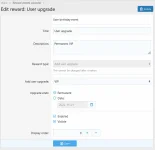
Rewards assigned to an event. |
Reward configuration with stock settings. |
Reward log and search filters. |
Add-on options. |
Reward eligibility criteria. |
Member permissions. |

![[XB] Content Leak Detection: Fingerprinting & Invisible Watermarks](/data/resource_icons/0/383.jpg?1790155838)
![[XB] Keyword Alerts: Post Alerts & Email Digests](/data/resource_icons/0/310.jpg?1776979754)
![[XB] Advanced Forms: Surveys, Questionnaires & Multi-Page Form Builder](/data/resource_icons/0/312.jpg?1777396729)
![[XB] Rating Competition Threads](/data/resource_icons/0/123.jpg?1732559740)
![[XB] Donations: Community Fundraising & Goal Tracking](/data/resource_icons/0/333.jpg?1781959400)