Documentation home
Open
Communication > Page builder. The page title opens its builder; the settings icon opens the page form. The builder also has a
Settings button.
URL and text
| Setting | Purpose |
|---|
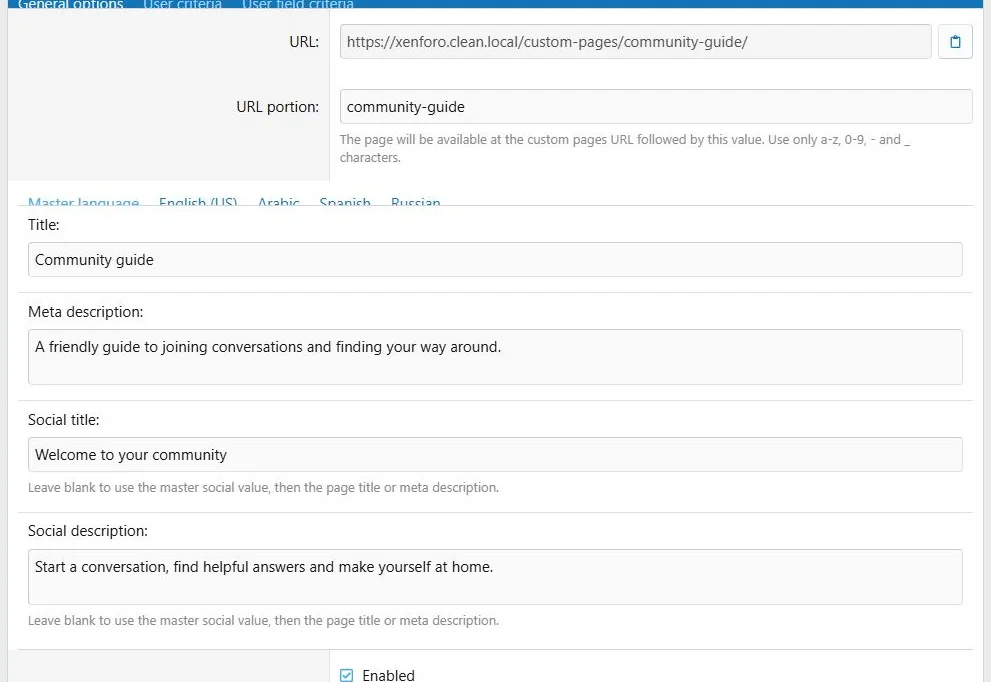
| URL portion | Unique page identifier, such as community-guide |
| URL | Read-only public address shown after the page is created |
| Title | Page title, with a required master value |
| Meta description | Description used in page metadata |
| Social title and description | Separate text for social link previews |
| Social image | One uploaded preview image shared across languages |
URL portions use letters, numbers, hyphens and underscores and are limited to 50 characters. Changing the URL portion changes the page address; review existing links.
The normal public route is
custom-pages/community-guide/. For another public path, use XenForo's
Setup > Route filters. For example, replace
custom-pages/community-guide/ with
guide/. Page Builder does not provide a separate editable canonical URL field; canonical addresses are generated through XenForo routing.
Page settings combine the public address and translated metadata.
Availability and discovery
- Enabled: Allows the page to be published, subject to its schedule and audience criteria.
- Display title: Controls the visible page heading.
- Schedule: Optional start and end dates.
- Include in search: Controls inclusion in XenForo search.
- Include in sitemap: Controls sitemap eligibility.
- Noindex: Outputs a noindex directive and excludes the page from the sitemap.
Search, sitemap and noindex are separate from visitor access. Read
Publishing and access and
Search and SEO.
Layout and styling
Choose Default or Full width, a block appearance preset, breadcrumb and notice visibility, CSS classes and page CSS. These settings are explained in
Appearance.
Copy and delete
Use
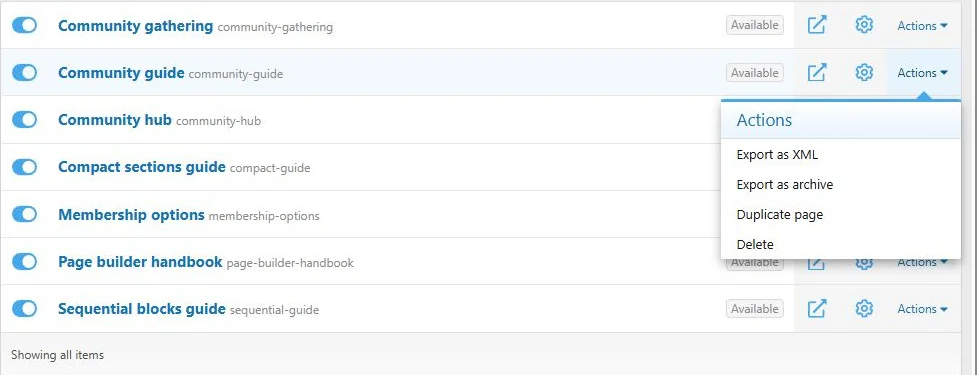
Duplicate page from the builder, settings or page actions menu to create a separate page. The copy starts disabled and receives a unique URL portion. Review links, schedules and audiences before enabling it. Global block placements remain shared references.
Deleting a page removes its layout. Shared global block sources are managed separately.
Use the page list to open, configure, copy or export pages.

![[XB] Page Builder: Visual Constructor for Custom & Landing Page](/data/resource_icons/0/398.jpg?1792180696)