Block reference
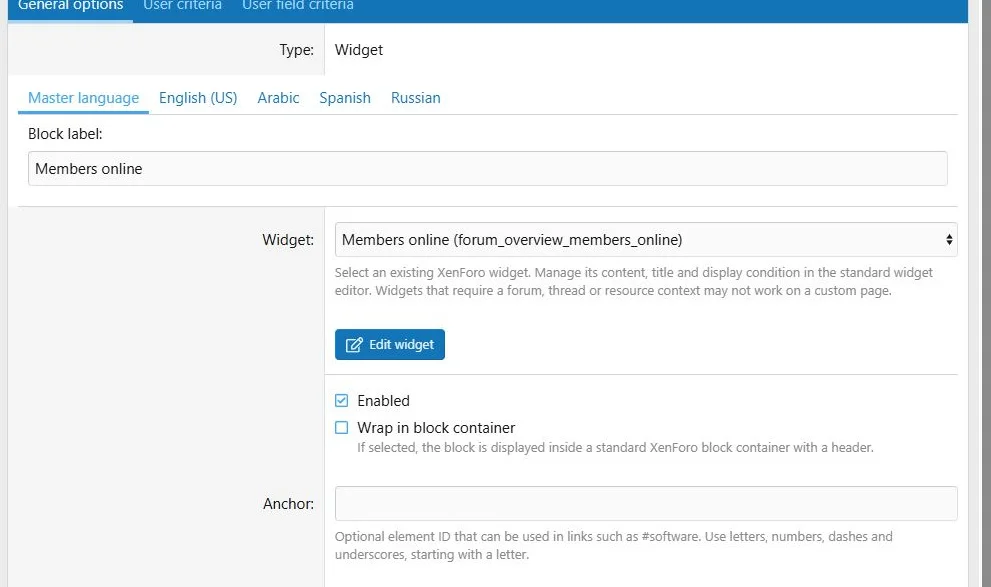
Use Widget to place an existing XenForo widget inside a page column, including a widget that has no assigned display position.
Configure
- Create and configure the widget in Appearance > Widgets.
- Open the page builder and choose Add block > Widget.
- Select the existing widget.
- Save and inspect the public page.
- Use Edit widget, when available, to return to XenForo's widget editor.
Editing widgets requires the appropriate XenForo administrative permission in addition to Page Builder access.
Choose an existing widget and manage its configuration in XenForo.
Widget settings and conditions
The widget's own settings, translated title and display conditions remain in XenForo's widget system. Page Builder does not create a separate copy of those settings.
If the widget is deleted, fails its display conditions or returns no content, the placement can be empty. Choosing None is not a usable widget selection.
Compatibility
Some widgets require a forum, thread or resource context that a custom page does not provide. Check the particular widget on the target page before relying on it.
Choose a column width suitable for the widget's template. Its responsive appearance remains controlled by that template and the active style.
Widget output is dynamic and is not included in indexed static page text.
Transfers and example
Exports preserve the selected widget key, not the widget definition. Create a corresponding widget with the expected key on the destination site.
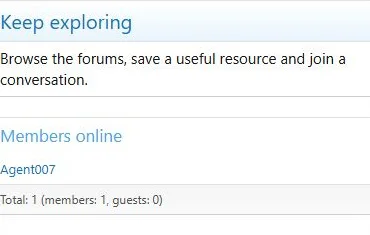
For a community hub, place an online-members widget in a 4/12 desktop column and set the narrow width to 12/12.
Existing widgets can be placed alongside custom page content.
The same content at a phone viewport width of 390 pixels.


![[XB] Page Builder: Visual Constructor for Custom & Landing Page](/data/resource_icons/0/398.jpg?1792180696)