-
 No refunds!
Please read the resource description carefully before purchasing. We do not offer refunds once a resource has been downloaded. -

-

Save More with Paid Membership
Access over 100 add-ons from Basic and Premium pack for less than buying them individually.
See membership levels
You are using an out of date browser. It may not display this or other websites correctly.
You should upgrade or use an alternative browser.
You should upgrade or use an alternative browser.
![[XB] Quizzes](/data/resource_icons/0/172.jpg?1733558394)
[XB] Quizzes 2.2.3 Patch Level 2
You must log in or register to purchase ($55.00)
- Author Painbaker
- Creation date
- Featured
Fix: avoid passing null in array_diff() when checking completed quiz ids user criteria
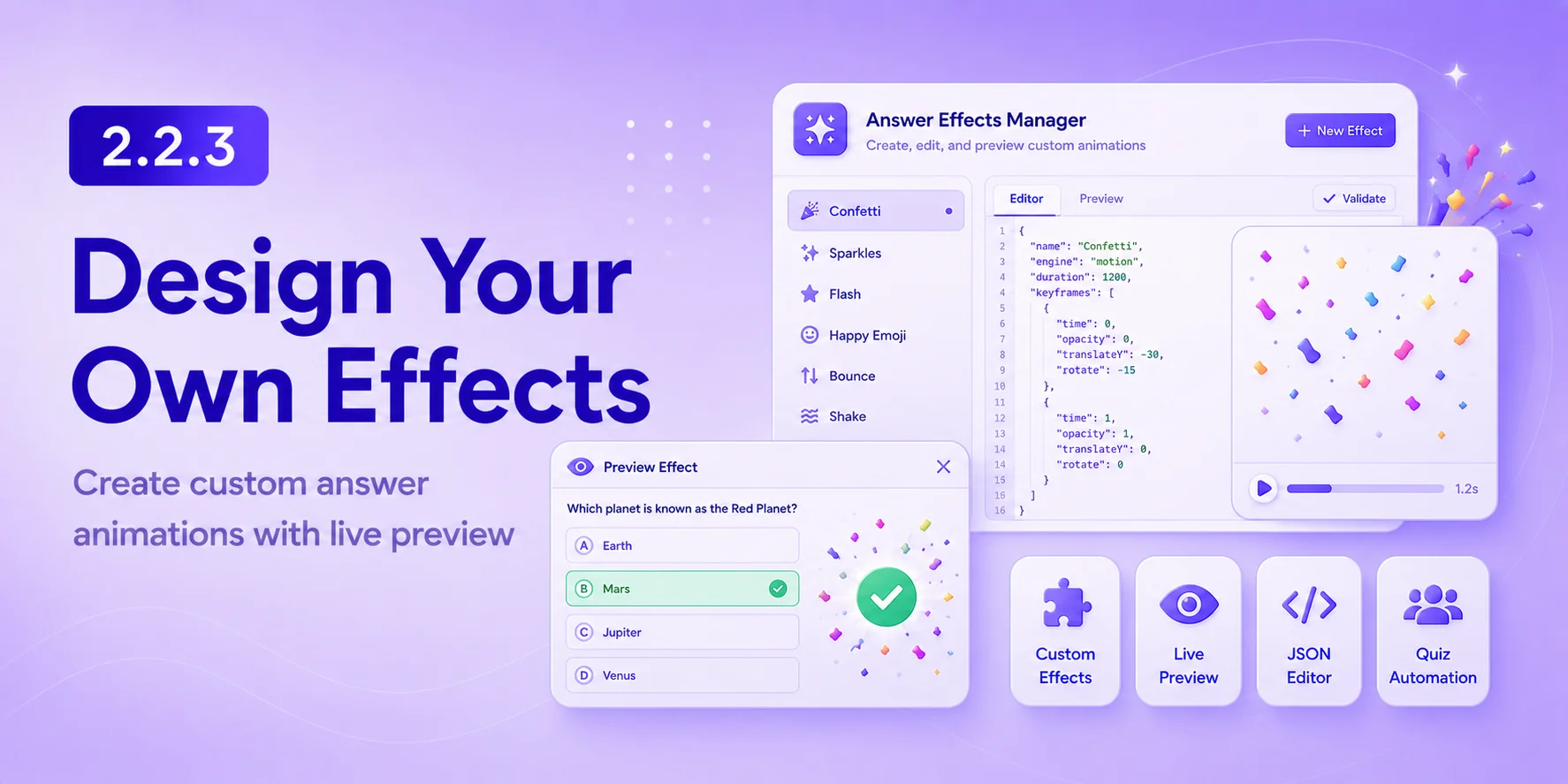
This update introduces a fully customizable answer effects system powered by Motion.js, along with new quiz completion criteria and automation options for even more engaging and dynamic quizzes.
More Powerful Quiz Effects & Automation!
New Features
- Rebuilt answer visual effects on the Motion.js animation engine using JSON-configurable keyframes for smoother, more consistent animations across browsers.
- Added an Answer Effects manager in the ACP for creating and editing custom animations as JSON, with live preview and validation. Built-in effects are included as editable defaults.
- Added a new answer effect preview overlay with a sample quiz question and answers.
- Added completed quiz tracking for each user.
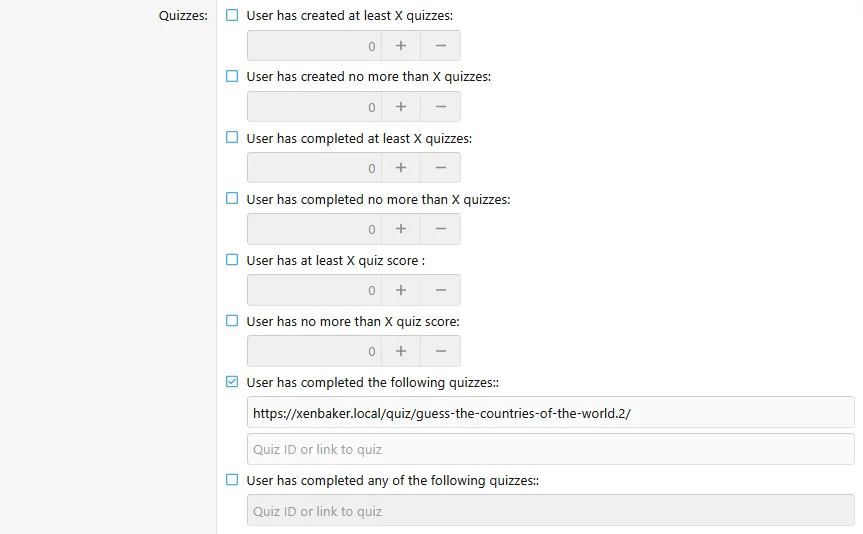
- Added two new user criteria:
- Has completed the following quizzes
- Has completed any of the following quizzes
- Added support for entering either quiz IDs or quiz URLs in the new completion criteria.
- Added an option to trigger user group promotions immediately after quiz completion.
Do you like this update?
Screenshots:
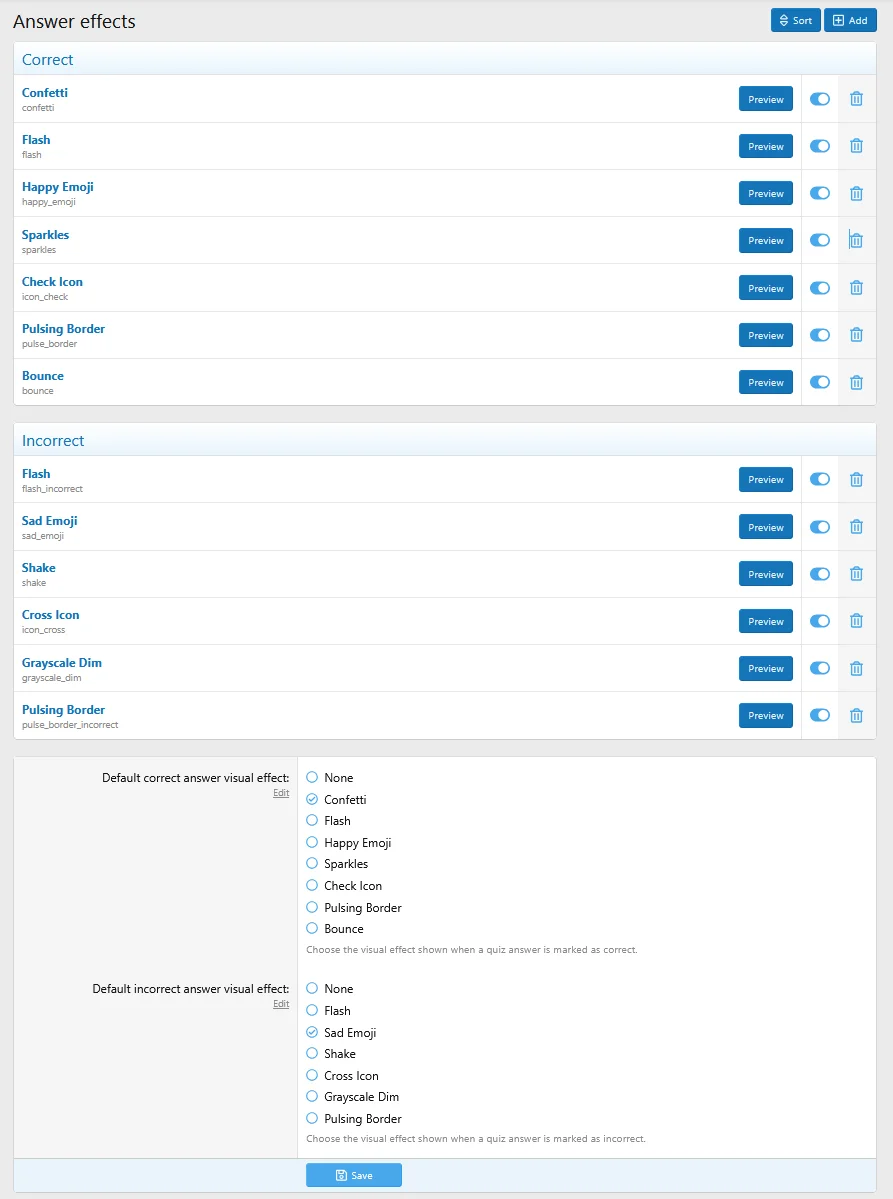
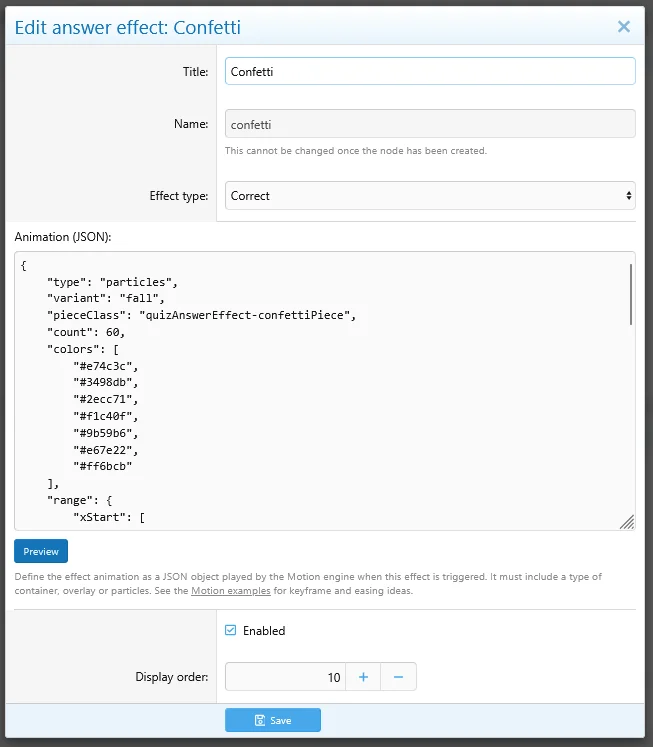
This update introduces customizable answer effects that provide instant visual feedback, making quizzes more engaging and enjoyable for participants.
Available visual effects:
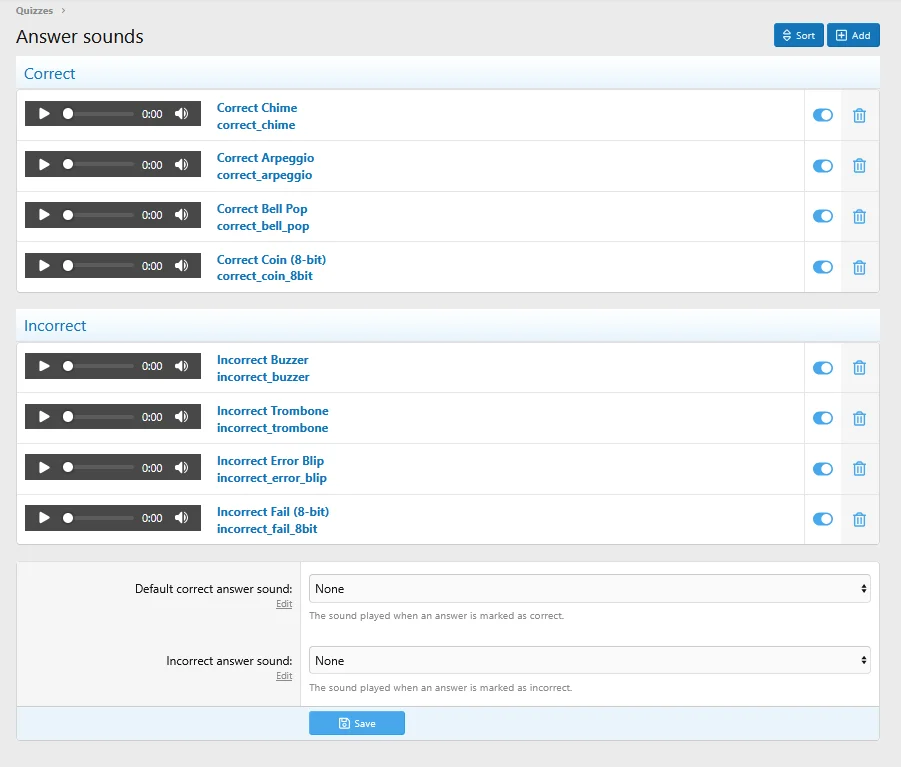
- Added support for custom sound effects for correct and incorrect answers, including eight built-in sound effects.
- Added customizable question answer visual effects that can be configured globally or per question (optional and can be disabled).
Flash
Happy Emoji
Sad Emoji
Check Icon
Cross Icon
Bounce
Shake
Grayscale Dim
Pulsing Border
Changes
- Minor improvements to the quiz creation flow to make quiz creation more intuitive.
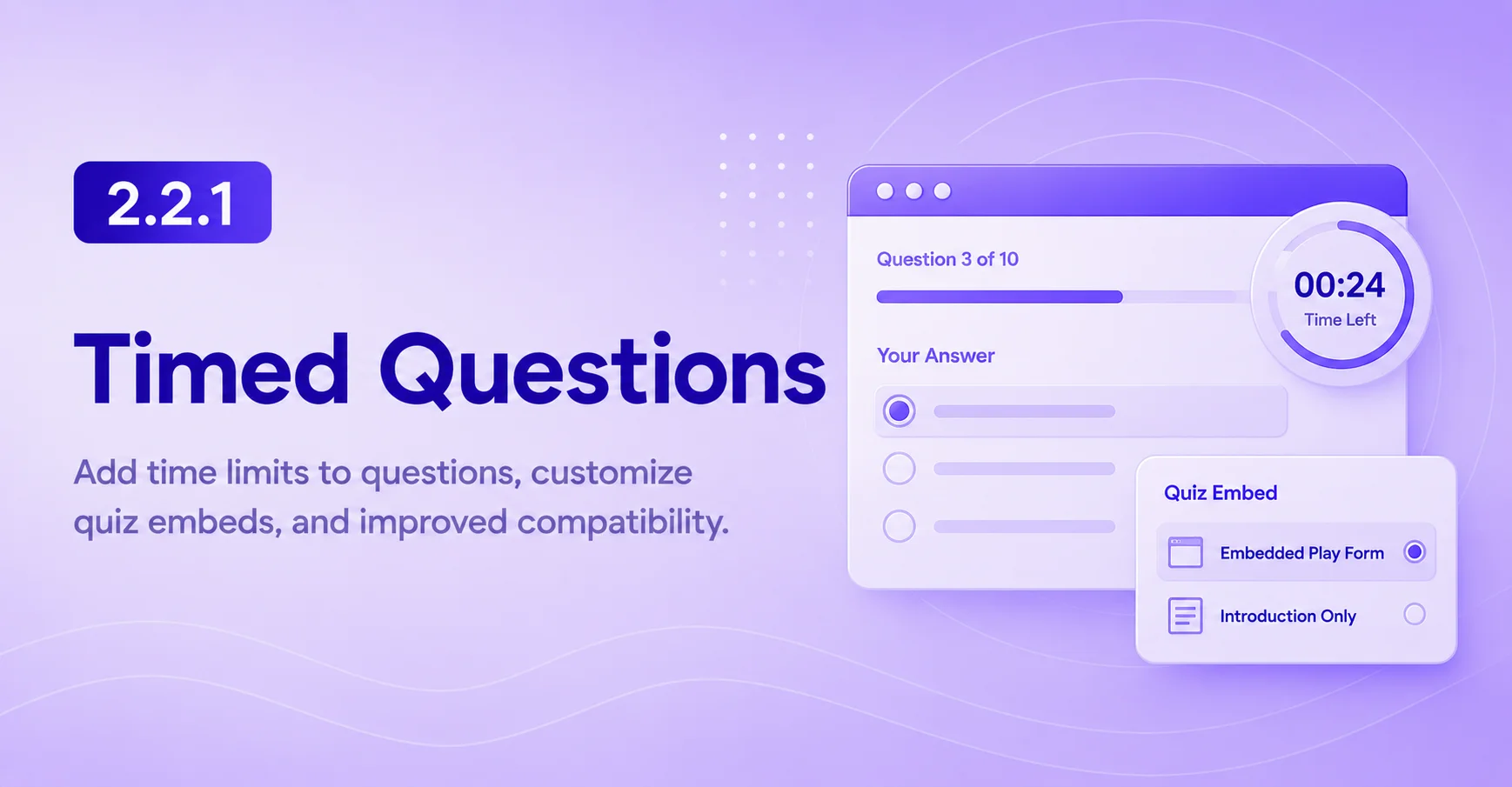
This update introduces timed questions, expands quiz-embedding options, modernizes the add-on architecture, sound effects for answers, and includes several fixes.
- Added a per-question answer time limit with a dynamic countdown timer on the answer form.
- Added an option to choose how Quiz BB codes are displayed: embedded play form or introduction only.
- Added configurable sound effects for correct and incorrect answers (can be disabled in addon settings, sound files can be changed in style properties)
- Moved the registration of Quiz Types, Question Types, and Feedback to the XenForo definitions system with add-on data export support.
Bug Fixes
- Fixed a XenForo 2.2 template compilation error caused by the unsupported double question mark operator.
- Fixed the quiz play options row not being hidden when no visible options are available.
- Fixed correct answer data being displayed in user completion lists for assessment quizzes.
Added quiz leaderboard widget
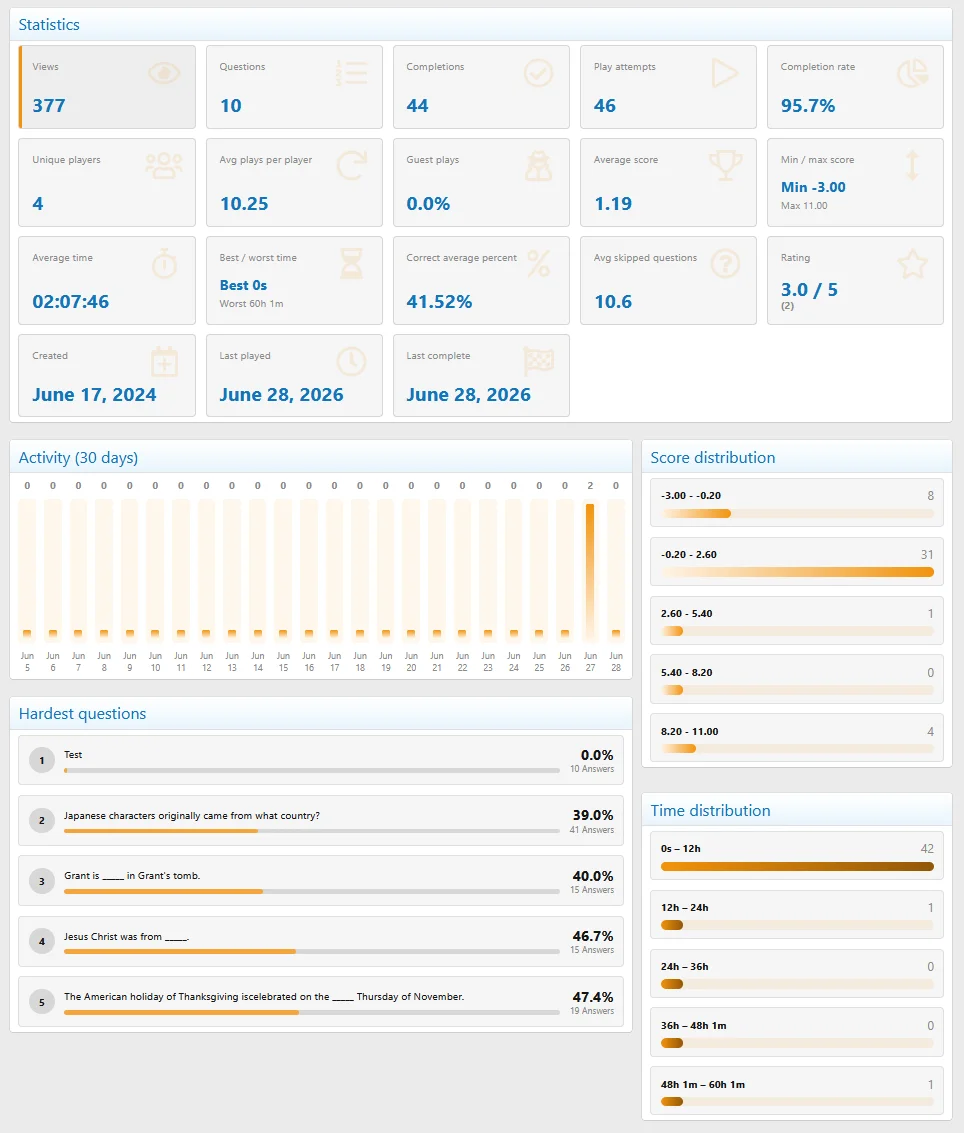
Added advanced quiz statistics tab
Full changelog:
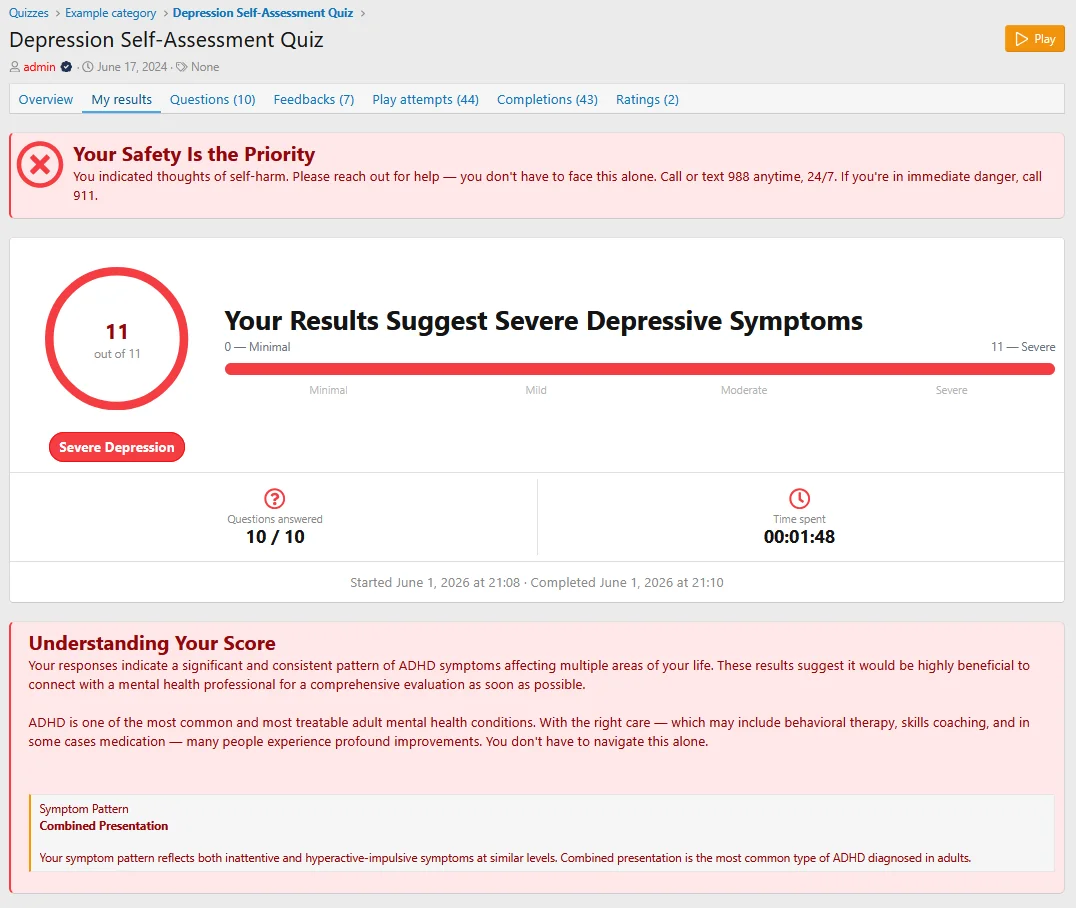
This version introduces a major expansion of quiz result customization, including a powerful new Final Feedback System, Assessment Quizzes, bonus scoring, global leaderboard, enhanced result layouts, and several quality-of-life and visual improvements across the quiz experience.
Final Feedback System
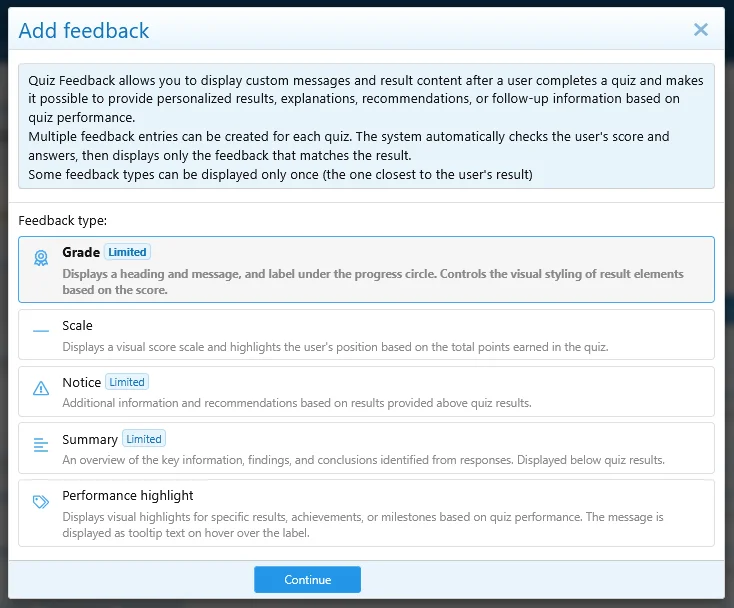
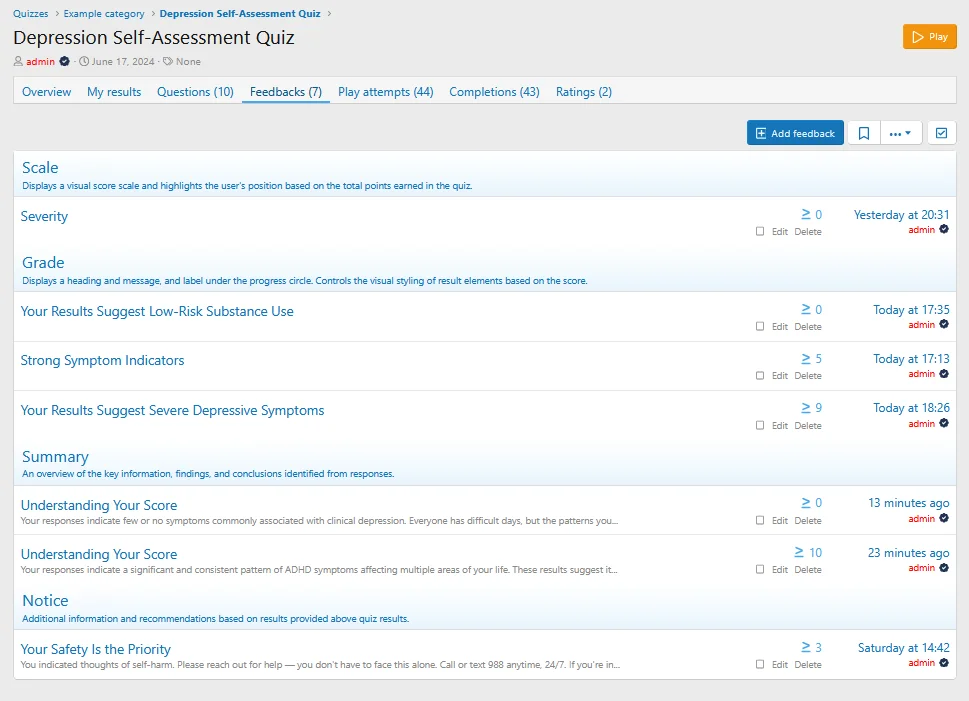
Added a new final feedback system that allows users to display custom feedback after quiz completion based on quiz scores or selected answers.
Available feedback types:
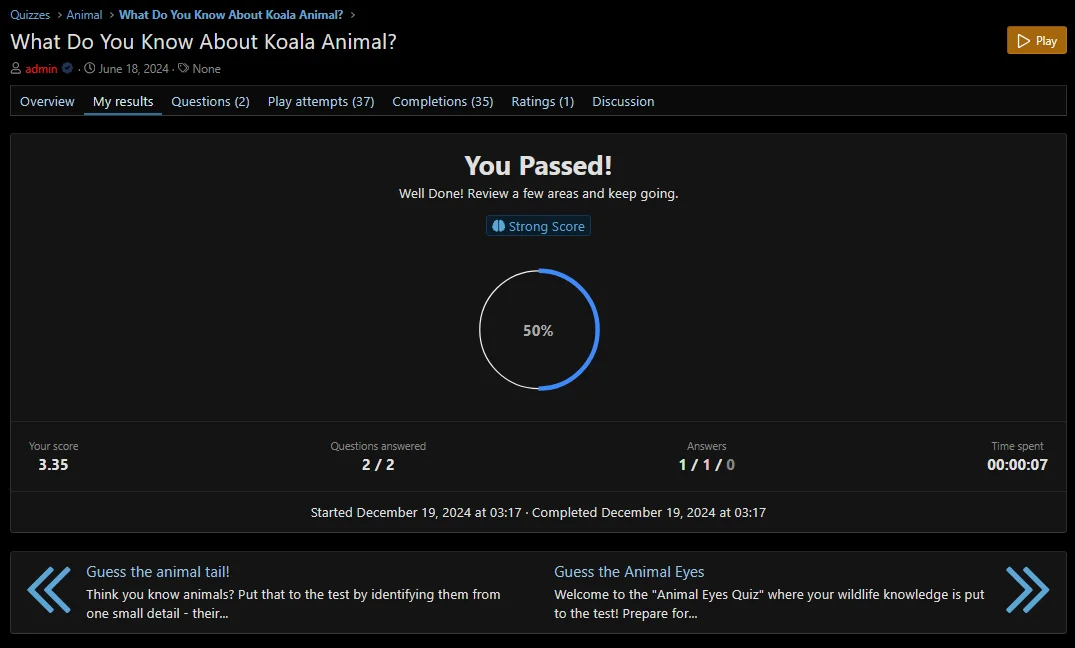
Grade Feedbacks — Display a custom heading, message, and label below the progress circle. Can also control the visual styling of result elements based on the achieved score.
Scale Feedbacks — Display a visual score scale and highlight the user's position according to the total points earned.
Alert Feedbacks — Show a customizable alert box with one of the available styles: success, warning, error, or info.
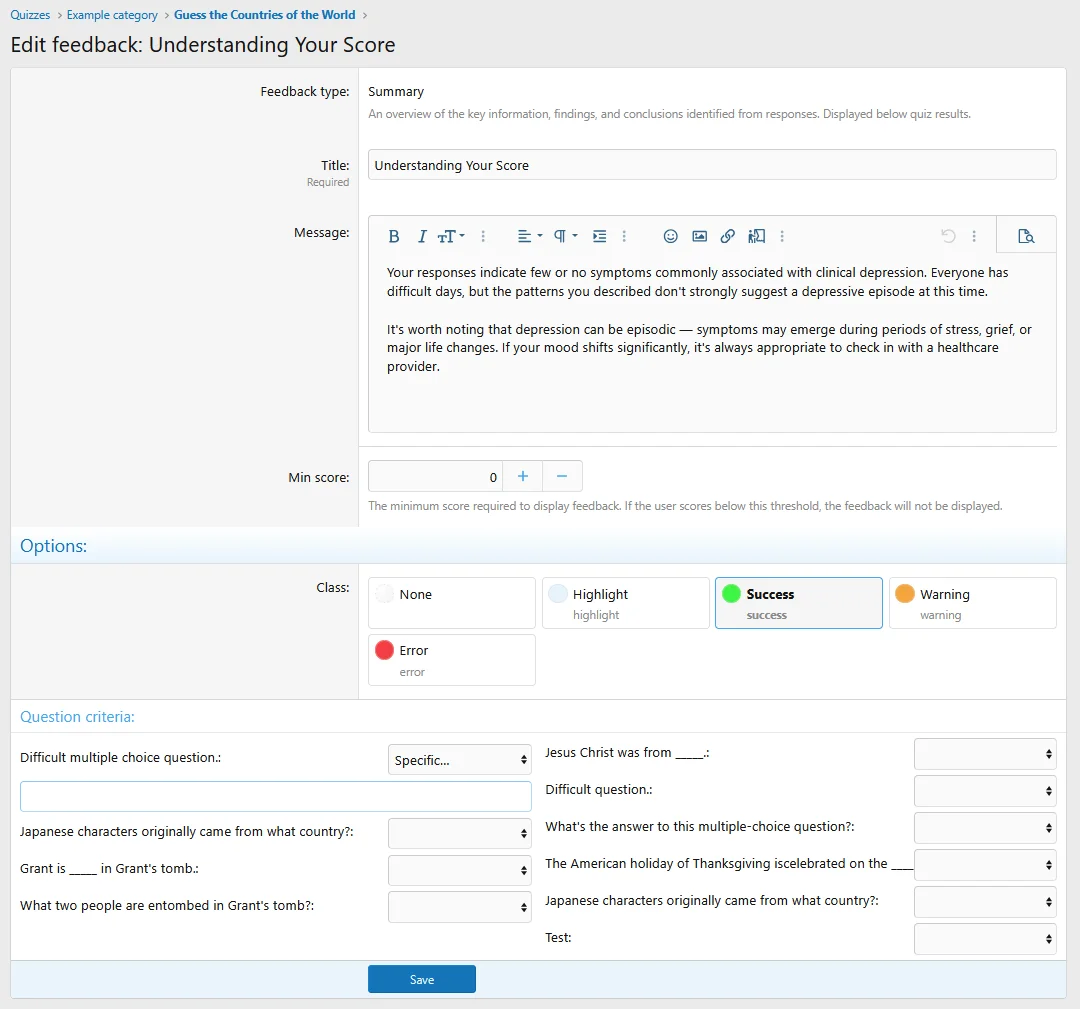
Summary Feedbacks — Display a summary message based on quiz performance, score ranges, or specific answers.
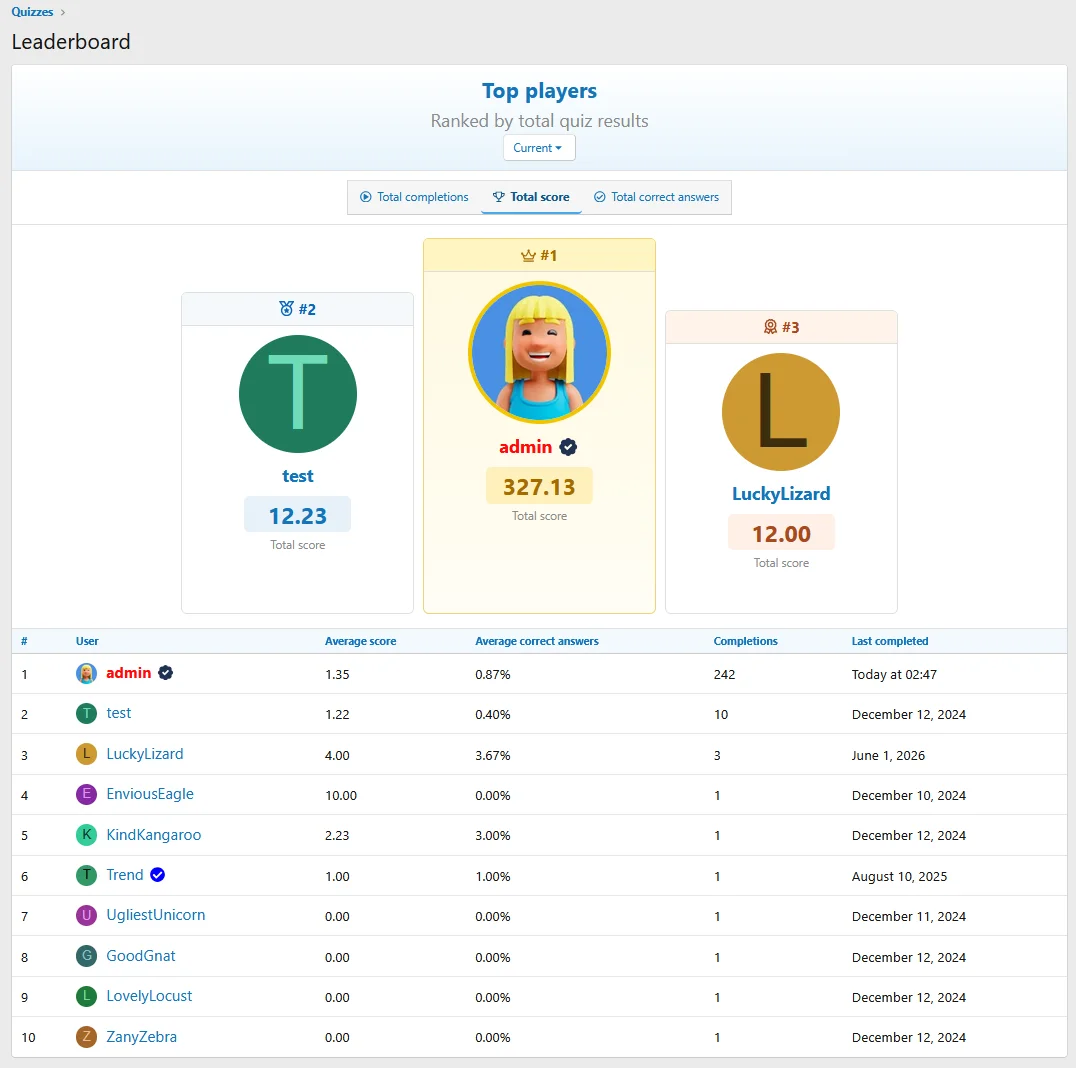
Global leaderboard
Added a new global leaderboard page for displaying top quiz performers across the community with a podium for top members.
The leaderboard supports different ranking modes, including:
And monthly history.
Total completions
Total score
Average correct answers
Additional Features
- Added a new quiz type: Assessment Quiz (answer-based evaluation without correct or incorrect answers)
- Added bonus score support for answer choices
- Added new custom field display locations:
- Above quiz results
- Below quiz results
- Above overview and quiz results
- Below overview and quiz results
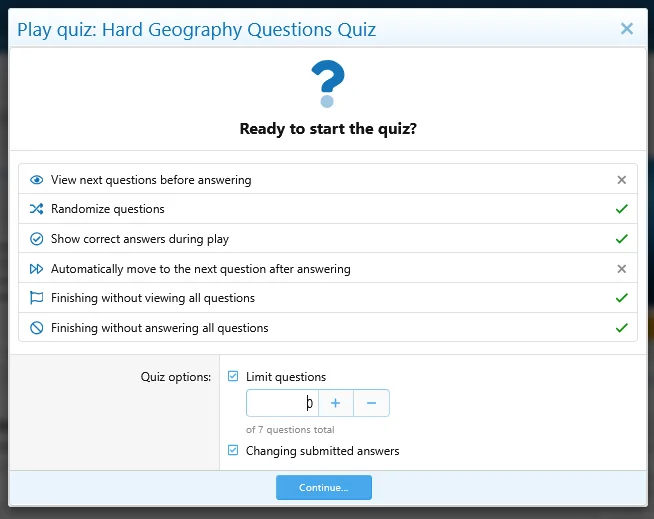
- Added an option to automatically move to the next question after answering
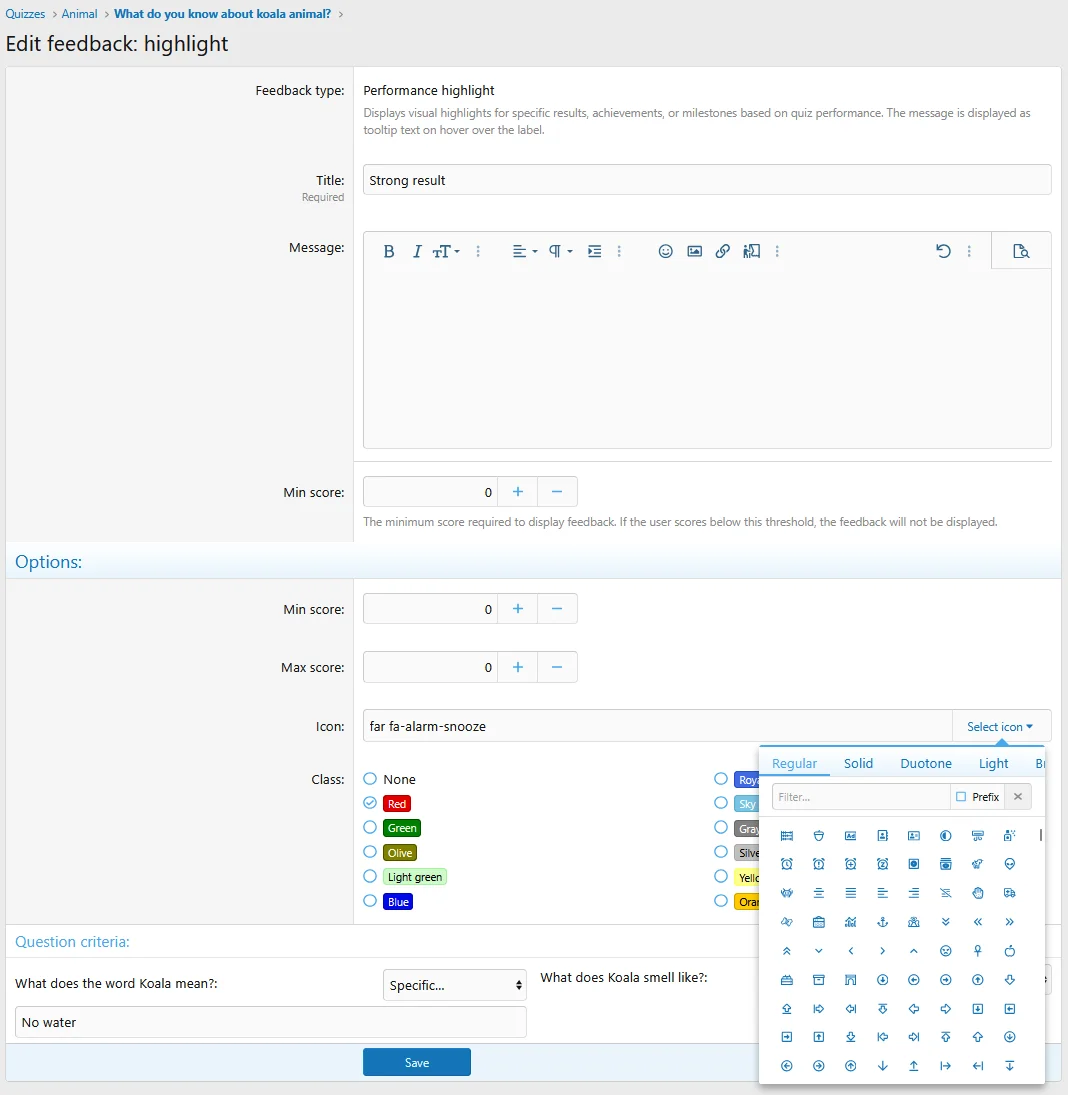
- Added an option to disable default performance highlights on the quiz results page
- Added default score settings for correct and incorrect answers
- Added an option to display the final score directly inside the progress circle instead of the statistics row
- Added a new Compact quiz results card style (available in Style Properties)
- Added a progress line for the question answer form (can be disabled in Style Properties)
- Added structured metadata for quizzes
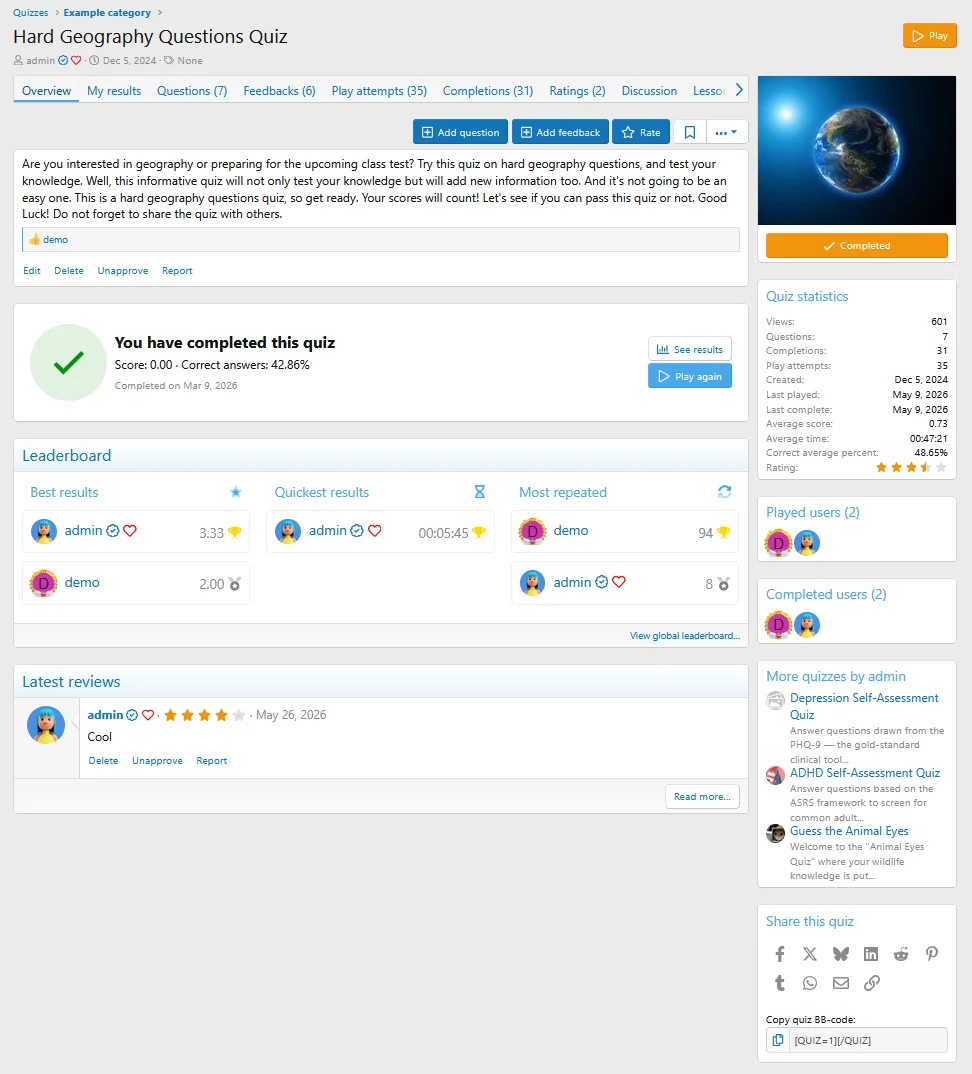
- Added a quiz option to display a question list on the quiz view page
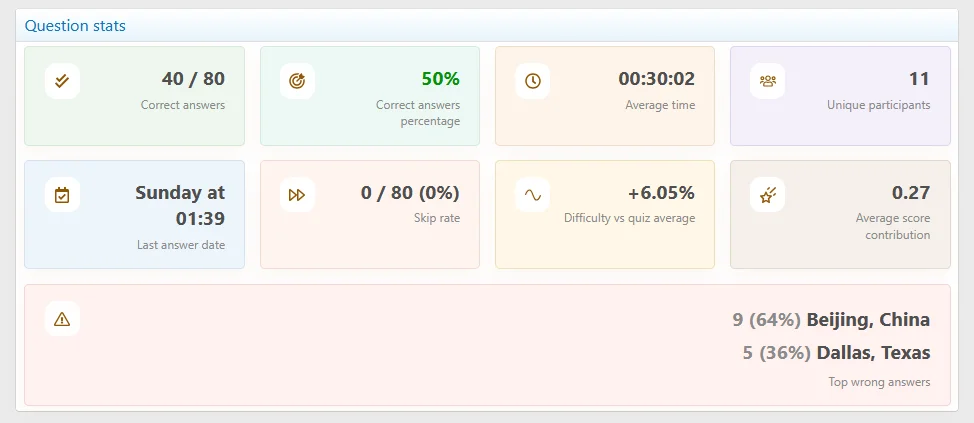
- Added expanded stats block on the quiz question view page with average time, unique participants, skip rate, last answer date, score contribution, and top wrong answers
- Added widget positions below the quiz list on overview and category pages
- Added option to exclude unanswered questions from correct answer percentage calculation
- Added computed color resolution in progress.js (should fix issues with lighten and darken functions in style properties for progress bars)
- Added quiz leaderboard widget
- Added advanced quiz statistics tab
- Fixed category controller page context application
- Fixed incorrect visibility conditions for the Active quiz option
- Added the missing is-moderated class to quiz question list items
- Fixed the Next & Previous Quiz block when only one adjacent quiz is available
- Fixed ProgressBar.js support for CSS variables and HSL colors
- Fixed incorrect image URL in Open Graph metadata
- Fixed an issue where the quiz question limit was not applied for users without permission to choose quiz play settings
- Fixed logging viewed question IDs for a quiz play attempt multiple times that caused an issue with the "Finishing without viewing all questions" option
Fixed a typo in a permission check that could allow users to view other users' quizzes and questions awaiting approval via a direct URL.
Fixed a potential cross-site scripting (XSS) vulnerability.
We have released 2.1.3 Patch Level 1 to resolve the security issues above.
This update is available to all licensed customers, including those with expired licenses. We strongly recommend that anyone running an earlier version upgrade as soon as possible.
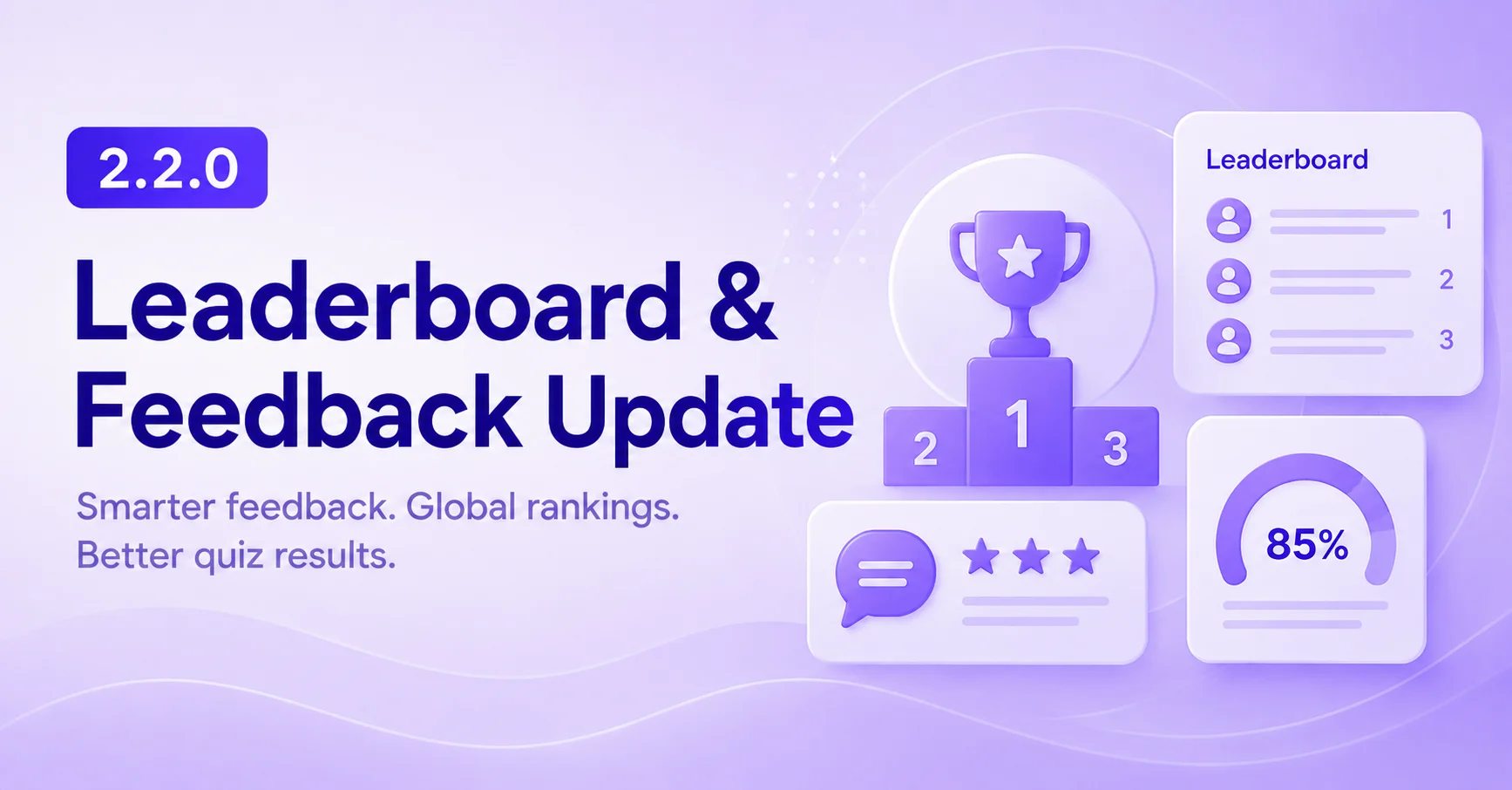
This version introduces a major expansion of quiz result customization, including a powerful new Final Feedback System, Assessment Quizzes, bonus scoring, global leaderboard, enhanced result layouts, and several quality-of-life and visual improvements across the quiz experience.
Final Feedback System
Added a new final feedback system that allows users to display custom feedback after quiz completion based on quiz scores or selected answers.
Available feedback types:
Global leaderboard:
Added a new global leaderboard page for displaying top quiz performers across the community with a podium for top members.
The leaderboard supports different ranking modes, including:
And monthly history.
Additional Features:
- Added a new quiz type: Assessment Quiz (answer-based evaluation without correct or incorrect answers)
- Added bonus score support for answer choices
- Added new custom field display locations:
- Above quiz results
- Below quiz results
- Above overview and quiz results
- Below overview and quiz results
- Added an option to automatically move to the next question after answering
- Added an option to disable default performance highlights on the quiz results page
- Added default score settings for correct and incorrect answers
- Added an option to display the final score directly inside the progress circle instead of the statistics row
- Added a new Compact quiz results card style (available in Style Properties)
- Added a progress line for the question answer form (can be disabled in Style Properties)
- Added structured metadata for quizzes
- Added a quiz option to display a question list on the quiz view page
- Added expanded stats block on the quiz question view page with average time, unique participants, skip rate, last answer date, score contribution, and top wrong answers
- Added widget positions below the quiz list on overview and category pages
- Added option to exclude unanswered questions from correct answer percentage calculation
- Added computed color resolution in progress.js (should fix issues with lighten and darken functions in style properties for progress bars)
- Fixed category controller page context application
- Fixed incorrect visibility conditions for the Active quiz option
- Added the missing is-moderated class to quiz question list items
- Fixed the Next & Previous Quiz block when only one adjacent quiz is available
- Fixed ProgressBar.js support for CSS variables and HSL colors
- Fixed incorrect image URL in Open Graph metadata
- Fixed an issue where the quiz question limit was not applied for users without permission to choose quiz play settings
- Fixed logging viewed question IDs for a quiz play attempt multiple times that caused an issue with the "Finishing without viewing all questions" option
Do you like this update?Please consider sharing your experience with a short review
Every bit of feedback matters!
Screenshots:
- Added option to set default state for "Quiz is active" checkbox
- Added option to redirect users to question adding page after quiz creation
- Added a Save and Add Next Question button to the question add page
- Fix: added clearfix block on question answer page to avoid right aligned image overlapping issue with short message
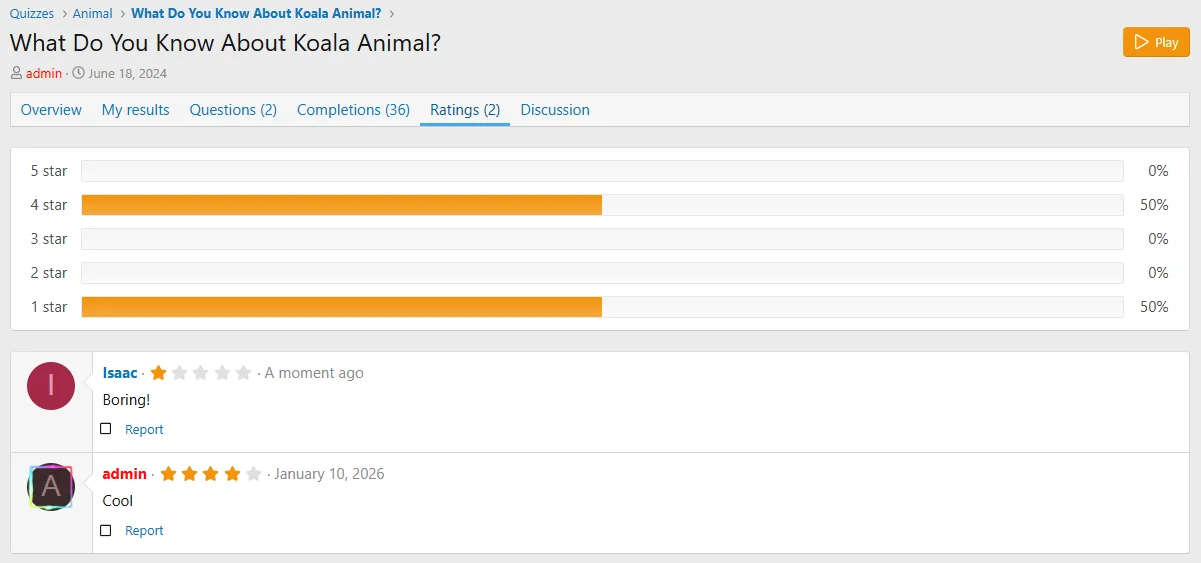
- Added statistic block showing progress bars of the rating distribution
- Added quiz category page criteria support
- Added previous & next quiz block on quiz complete page (optional)
- Added more quizzes by author block on quiz view page (optional)
- Added batch quiz completion deletion support in ACP
- Improved quiz completion log filters in ACP